



Finding the exact place on Earth be it a bustling city block or a remote mountain is impossible if you're relying solely on street names or landmarks. Maps are constantly evolving: streets get renamed, businesses relocate, and digital addresses can be inconsistent. Coordinates mathematical, universal, and precise are the backbone of digital mapping, logistics, and modern business intelligence.
In 2026, knowing how to search, use, and convert coordinates isn’t just a convenience. It’s a mission-critical skill for supply chain directors, SaaS developers, marketers, geospatial analysts, and anyone who needs to harness location data for business growth or operational excellence.
This guide goes far beyond general how-tos. You’ll get real-world coordinate examples, format breakdowns, common pitfalls and errors, and actionable workflow advice. We break down practical use cases, industry statistics, tool comparisons, and the cutting-edge trends shaping how businesses leverage mapping data. Whether you’re troubleshooting errors, automating workflows, or scaling up local lead generation, you’ll find insight and examples here that you won’t find anywhere else online.
What Are Coordinates?
Coordinates are numeric values often a pair or more that pinpoint an exact location anywhere on Earth. In tech terms: coordinates are the universal “address” that maps, satnavs, and billions of devices use to communicate location data. Without them, navigation, logistics, and even food delivery would grind to a halt.
Industry Stat: Over 80% of logistics, real estate, and retail businesses now rely on coordinate-based systems for daily operations (Source: Statista, 2025).
What Is Latitude and Longitude?
Every coordinate used in mapping is based on two values:
- Latitude: Measures north/south distance from the Equator (0°). Positive values are north; negative are south.
- Longitude: Measures east/west distance from the Prime Meridian (0° longitude in Greenwich, London). Positive values are east; negative are west.
Example:
- New York City’s coordinates:
- Latitude: 40.7128
- Longitude: -74.0060
- Full (Decimal Degrees): 40.7128, -74.0060
Coordinate Format Comparison Table
Pro tip: APIs and modern tools nearly always prefer decimal degrees for performance and simplicity.
How Coordinate Search Works (With Real Examples)
When you enter [40.7128, -74.0060] into Google Maps, you see a precise pin marking Times Square in New York City. Swap the values [-74.0060, 40.7128] and Google Maps gets confused or pins a location in Bangladesh.
Correct:
40.7128, -74.0060→ New York, NY, USA (Times Square)
Incorrect:-74.0060, 40.7128→ Error or unexpected location (Bangladesh)
Formatting matters. Always place latitude first, longitude second.
Reverse geocoding is what allows Google Maps to give you the address:
- Input:
40.7128, -74.0060 - Output: “New York, NY, USA”
How do I search coordinates on Google Maps?

Google Maps is the map coordinate search giant. Here’s how you can use it:
- Enter your coordinates (example:
48.8584, 2.2945) into the search bar. - Make sure formatting is correct. Correct:
latitude, longitude. - Hit enter. Google Maps drops a pin on the location here, it’s the Eiffel Tower, Paris.
Voice Search Tip:
On mobile, you can even say “Show coordinates 48.8584, 2.2945” to Google Assistant and get instant map results.
How to Find Coordinates on Desktop
- Open Google Maps.
- Right-click any location. Select “What’s here?”
- A box at the bottom appears showing coordinates like
51.5034, -0.1276(London Eye). - Click to copy coordinates.
- Paste into your tool or database.
How to Find Coordinates on Mobile
- Open the Google Maps app.
- Press and hold on the map drop a pin.
- An info card slides up from the bottom; see coordinates like
34.0522, -118.2437(Los Angeles). - Tap to copy.
Use Case Example:
A delivery driver drops a pin at a remote cabin 46.8523, -121.7603 Mount Rainier National Park.
The dispatcher can route drivers directly using the coordinates, no address needed.
How do I convert coordinates?

Converting DMS to Decimal Degrees Example:
Take DMS: 40°42'46"N, 74°00'22"W
- Convert minutes: 42 mins ÷ 60 = 0.7
- Convert seconds: 46 secs ÷ 3600 = 0.0128
- Add: 40 + 0.7 + 0.0128 = 40.7128
So the decimal format:
- Latitude: 40.7128
- Longitude: -74.0060
There are also free tools like FCC’s converter and GIS software.
Why are my coordinates not working?
Common reasons:
- Wrong order (longitude first instead of latitude)
- Missing minus sign (negative = south or west)
- Hidden spaces or extra characters
- Using commas in place of decimal points or vice versa
Example:
- Entering
40.7128 74.0060(missing the minus sign) lands you in Central Asia, not NYC.
Can coordinates be wrong?
Yes.
- Human error in typing or copying
- Old data (map boundaries shift, errors in GPS satellites)
- Device error (especially if GPS signal is low)
- Misinterpreted formats
In critical applications like emergency services or drone navigation, a single digit’s mistake can cause major consequences.
Case Study: In 2023, a logistics firm mistyped a warehouse location by one decimal place. Result: a truck was sent to a residential home instead of a distribution center delaying $500,000 in goods delivery by 48 hours.
How accurate are GPS coordinates?
Modern GPS is extremely accurate under open sky, phones are typically accurate within 1–5 meters.
- Professional equipment (survey-grade GPS): accuracy to 1 cm!
- Consumer phones: 3–10 meters depending on environment (urban canyons, heavy tree cover lower accuracy)
Stat: According to the U.S. Government’s GPS.gov, 95% of users experience under 5 meter accuracy in 2026.
Coordinate Formats Explained
Mapping, navigation, and geospatial software may ask for very specific formats:
- Decimal Degrees (DD):
37.7749, -122.4194
- Degrees, Minutes, Seconds (DMS):
37°46'29"N 122°25'10"W
- Plus Codes:
849VCWC8+R9 - UTM:
10S 551800 4181800
Decimal Degrees vs DMS
Common Coordinate Search Errors (With Examples)
Swapping Latitude & Longitude
- Correct:
34.0522, -118.2437= Los Angeles - Incorrect:
-118.2437, 34.0522= Points to Mongolia!
Missing Negative Sign
37.7749, -122.4194(San Francisco)37.7749, 122.4194(Southeast China)
Wrong Format for Tool
- Entering DMS into an API expecting decimal degrees may yield “No result found” errors.
Workflow Example
A marketer pastes exported business coordinates into a CRM that expects DD. Accidentally uses DMS, and sales reps begin calling businesses on the wrong continent.
Reverse Geocoding Explained
Reverse geocoding turns a coordinate (like 37.7749, -122.4194) into a business address or place name. Google Maps, Mapbox, and OpenStreetMap power this feature via API or their front-end interface.
Business Use Case:
A SaaS company logs all field service visits by GPS ping. Their dashboard reverse-geocodes the data to show human-friendly addresses on every invoice.
Advanced Coordinate Search Methods
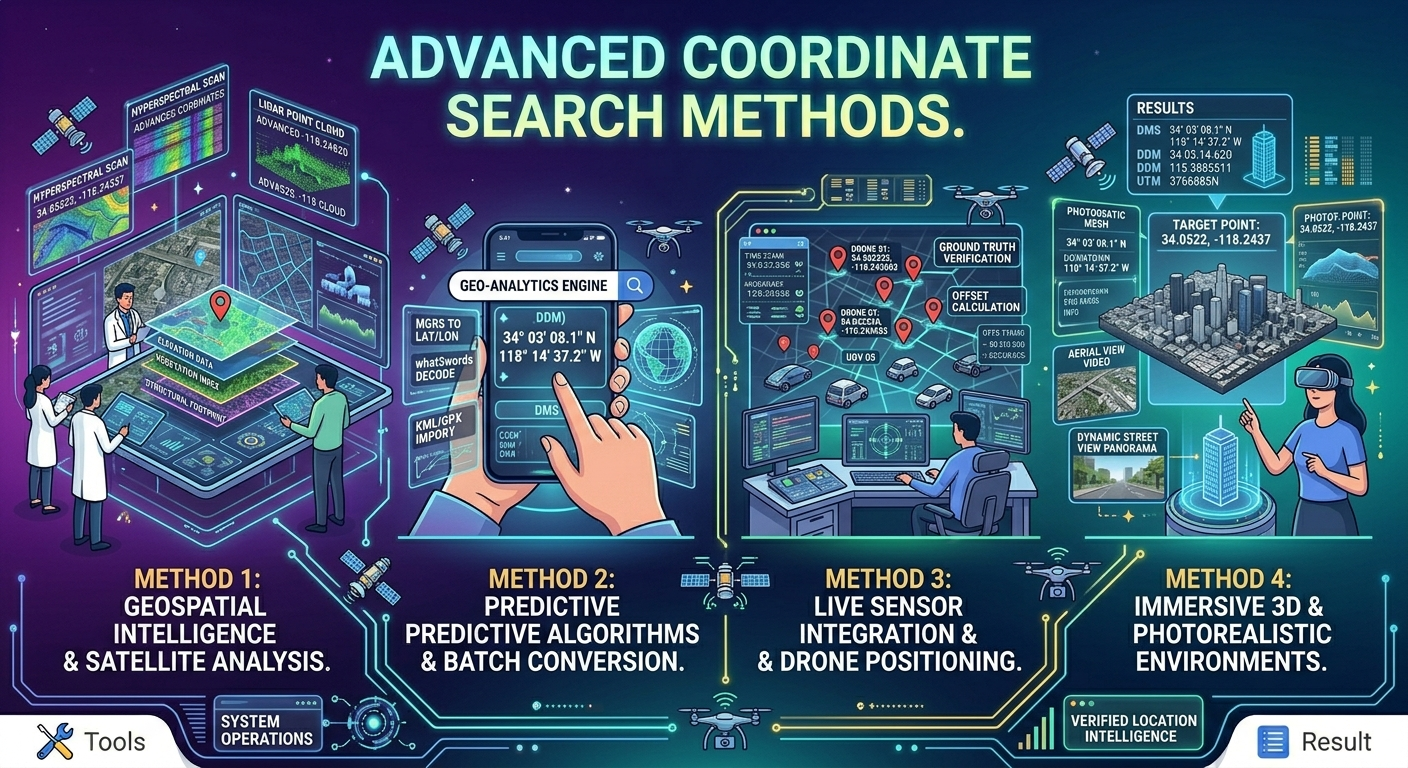
Modern Workflows Include:
- Bulk coordinate uploads to Google My Maps or GIS software
- API-driven batch geocoding/reverse geocoding (Google Maps API, Mapbox, OpenStreetMap Nominatim)
- Using automation tools (Python scripts, SaaS platforms) to process hundreds of locations/hour
- GIS analysis: spatial joins, proximity searches, and clustering
Workflow Example:
Property investment firms use GIS software to analyze 10,000+ properties by coordinates ranking each by proximity to schools, transit, and competitors.
Bulk Coordinate Search Problems
The Challenge:
Platforms like Google Maps restrict automated queries.
- Rate limits and CAPTCHAs kick in quickly.
- Manual lookup is time-consuming and riddled with errors.
Industry Example:
A marketing agency needs to collect business locations, emails, and phone numbers for every dentist within 50 miles of Chicago. Manual lookups would require weeks automation is now the industry standard.
Why Manual Coordinate Search Does Not Scale (Business Cases)
“If it takes even 60 seconds per location, collecting 5000 business leads = 83 hours of labor. At $25/hour, that's $2,075 of low-value manual work plus high risk of error.”
Automated solutions cut this time to minutes, increase accuracy, and free up valuable human resources for higher-level tasks.
How Businesses Use Coordinate Search (Industry Examples)
- Retail Chains: Optimize new store placement by mapping competitors and identifying underserved zones.
- Logistics: Route optimization saves fuel (up to 20%), reduces labor, and improves delivery times.
- Local SEO agencies: Build hyper-targeted advertising lists using exact business locations, not just zip codes.
- Travel & Hospitality: Curate mobile guides for events, attractions, and POIs using easy-to-share coordinates and Plus Codes.
- Emergency Services: Dispatch teams faster by using coordinates instead of unreliable addresses.
Local SEO & Lead Generation with Coordinates
Coordinates drive local SEO success:
- Google “Local Pack” results are heavily influenced by proximity (coordinate data).
- Agencies use mapping data to create tailored outreach campaigns for businesses within geo-fenced zones.
Example:
A B2B SaaS company targeting laundromats in Phoenix can extract coordinates and addresses for every shop, sending personalized offers or scheduling on-site demos with maximum efficiency.
How Leads Sniper Automates Coordinate-Based Lead Generation (Tool Comparison)
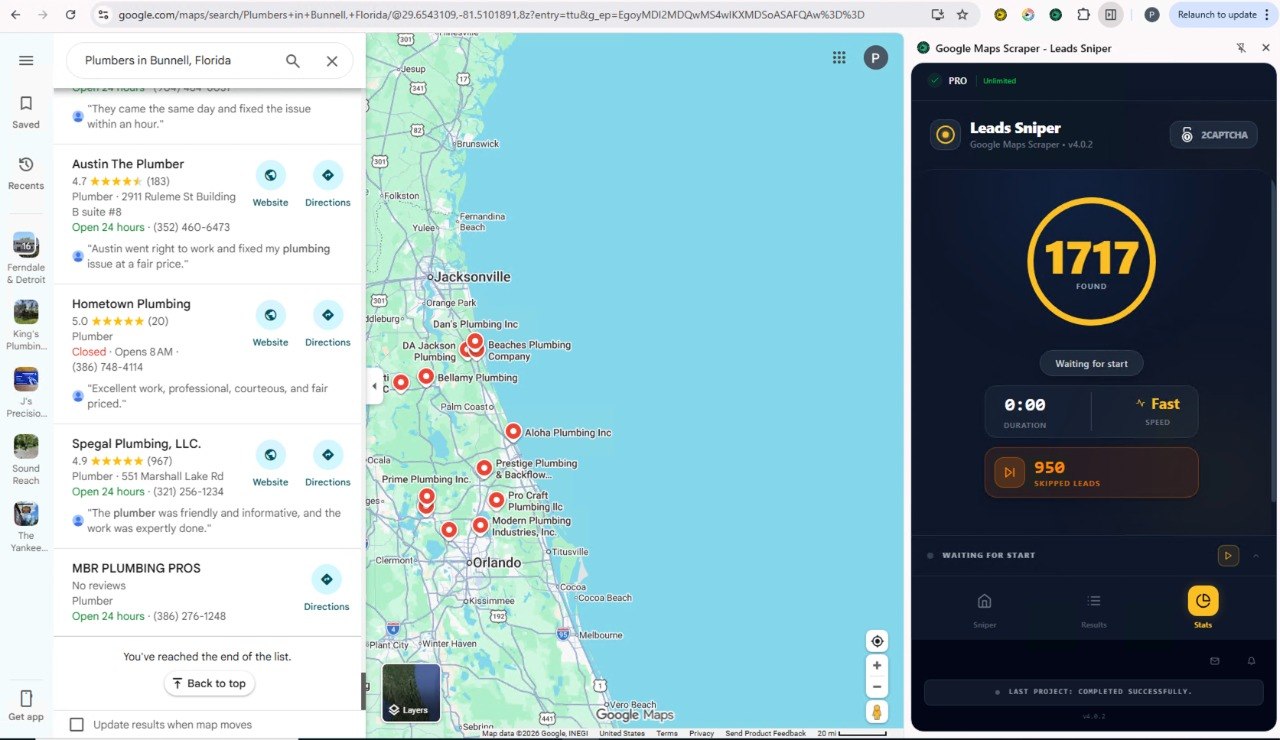
Legacy Methods:
- Manual copy-pasting from Google Maps (slow, error-prone)
- DIY scripts (prone to breakage, blocked by CAPTCHAs)
- Pricey all-in-one platforms (complex, overkill for SMBs)
Leads Sniper Approach:
- Scrapes Google Maps for thousands of local business listings in one go (with address, coordinates, phone, email, website, and reviews)
- Exports clean, structured data for instant CRM import
- Bypasses most rate limits with smart scraping techniques (still compliant with terms of service)
- Simple one-time cost much lower than hiring data-entry staff or monthly SaaS subscriptions
Business Impact:
Agencies report reducing research time by 95%. Typical campaign cost decreases from $2,000+ to under $200, with a 4x improvement in outreach velocity.
Best Practices for Coordinate Search (Expert Tips)
- Always use latitude first (unless your software says otherwise)
- Prefer decimal degrees for integrations and bulk uploads
- Double-check inputs for extra spaces, missing decimal points, or swapped order
- Validate output addresses with reverse geocoding before sending teams or communications
- Use professional tools for bulk extraction DIY scripts work for tests, but not for ongoing business ops
Future of Coordinate Search in 2026
AI-powered map engines now answer questions like:
"Show all vegan-friendly restaurants within a 2-mile radius of 37.7749, -122.4194"
Emerging trends:
- Voice-first and chat-based coordinate search
- AR navigation anchored to precise coordinates
- Business data enrichment with real-time location updates
- Integration of coordinate intelligence with IoT and supply chain software
Original Observation:
As zero-click search and AI agents take over, the quality, accuracy, and extensibility of your coordinate data will directly affect your search visibility, lead flow, and operational outcomes.
FAQs: People Also Ask
How do I search coordinates on Google Maps?
Enter the coordinate pair (latitude, longitude) directly into the search bar, and Google Maps will instantly show the spot. Desktop and mobile workflows are outlined above.
Why are my coordinates not working?
Check order (latitude first), negative signs, formatting (decimal or DMS), and remove extra spaces. See above for error examples.
Can coordinates be wrong?
Yes, due to human error, device error, or outdated data. Always confirm with reverse geocoding and test critical workflows.
How accurate are GPS coordinates?
Phones: 1–5m under open sky; pro GPS: 1–10cm. Environments (urban or forested) may decrease accuracy.
How do I convert coordinates?
Use the step-by-step math shown above, or reliable online tools linked here. Always vet automated conversions.
Key Takeaways
- Coordinate mastery underpins modern logistics, marketing, and local SEO
- Real-world accuracy and workflow efficiency depend on correct formatting and validation
- Bulk extraction tools (like Leads Sniper) are essential for scalable business intelligence and outbound prospecting
- Human errors are costly automation and workflow checks drive real competitive advantage
Final Thoughts on Coordinate Search
Geographic data is a foundational element of modern business strategy. Whether you are navigating to a specific location, plotting logistics routes, or building localized lead lists, mastering coordinate search is essential.
The days of manual data entry are over. As we push further into 2026, automation is the only way to scale effectively. By leveraging tools like Leads Sniper, you can instantly extract valuable location and contact data, empowering your team to focus on closing deals rather than copying and pasting numbers.
Stop wasting time on manual searches. Transform your lead generation strategy with accurate, automated bulk data extraction today.


