
Quick Answer
The term "free email extractor" covers two meaningfully different things on the current SERP and most articles only address one of them. Some tools scrape email addresses that are already published on web pages and domains. Others help you discover professional email addresses from a name, company, or domain, even if those addresses aren't publicly visible anywhere. A third category, email verifiers, checks whether an address is likely to be deliverable.
Before picking a tool, it helps to know which problem you're actually trying to solve.
Email Extractor vs. Email Finder vs. Email Verifier
Many of the tools in this guide combine two or more of these functions. Understanding where each one fits stops you from choosing the wrong tool for the job.
How We Evaluated These Tools
We reviewed each tool in this list against a consistent set of criteria rather than relying on homepage claims:
- Extraction or discovery method — Does it scrape publicly visible addresses, crawl full domains, or work from name/company data to surface professional emails?
- Free tier usability — Is the free version genuinely useful, or does it withhold the features that make the tool worth using?
- Export options — Can you get a clean CSV or Excel file, or are you stuck copying from a browser?
- Bulk and automation capability — Can it handle a list of domains or URLs, or is it strictly one-at-a-time?
- Verification support — Does the tool check whether extracted or found addresses are likely deliverable?
- Ease of use — Can a non-technical marketer or recruiter get results without a setup tutorial?
- Trust signals — User base size, reviews, transparency about how the tool works, and security or compliance certifications where relevant.
A note on testing claims: free limits, credit allocations, and feature availability change frequently. All figures cited in this article should be verified directly on each tool's pricing page before publication or use.
Quick Comparison Table
What Is a Free Email Extractor?
In its broadest sense, a free email extractor is any tool that automates the process of finding email addresses whether by scanning published web content or by deriving professional addresses from structured data like a name and company domain. The common thread is that you're not copy-pasting from browser windows by hand.
The category splits into three main approaches:
Page and domain scrapers scan web pages or crawl entire domains for email addresses that are publicly visible in the HTML in footers, contact pages, team bios, and blog posts. These are true extractors: they only surface what's already there.
Email finders take a different route. You give them a name, a company, or a domain, and they derive or verify the most likely professional email address for that person even if it's never been published anywhere publicly. This is how tools like Hunter, Snov.io, Apollo, and Skrapp work, and it's why they dominate the "free email extractor" SERP alongside traditional scrapers.
Combination tools do both: they can scrape a domain for visible addresses and use finder logic to surface contacts who don't have a public inbox listed anywhere.
For most B2B prospecting workflows, you'll end up using both types at some point scrapers to harvest what's visible, finders to fill in the gaps.
10 Best Free Email Extractor Tools in 2026
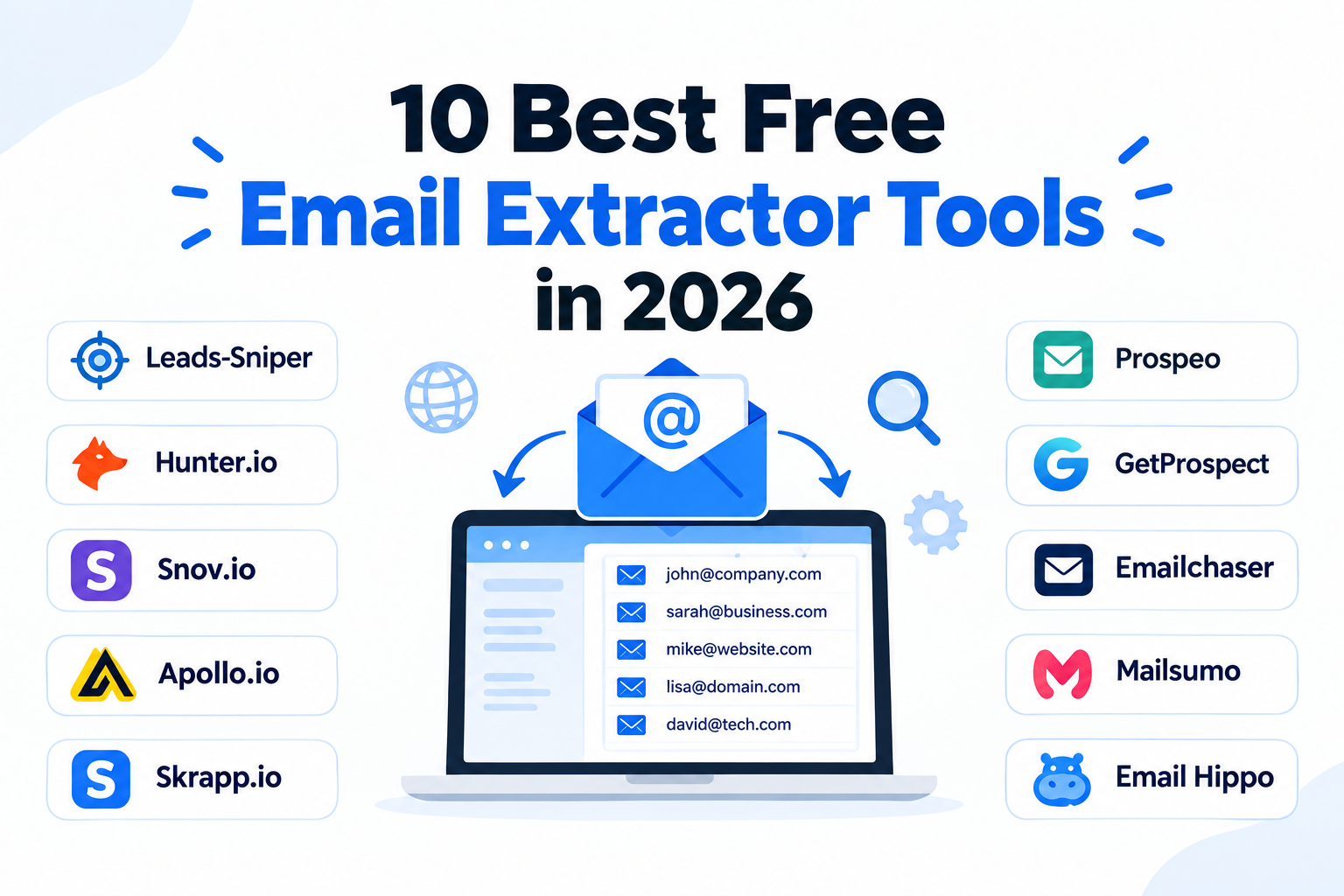
1. Leads-Sniper Domain Email Extractor Best for Full-Domain Website Extraction
If you're building contact lists from company websites rather than searching for specific individuals, Leads-Sniper Domain Email Extractor is built for that job. It crawls an entire domain every page, every subpage and compiles every publicly visible email address into an exportable list. That's a meaningfully different capability from tools that only scan the single URL you're currently viewing.
For sales teams and agencies working through lists of target companies, that distinction matters. You're rarely trying to grab one email off one page. You're trying to build a targeted, exportable contact list from dozens or hundreds of company websites, and doing that manually is the kind of task that consumes an entire workday.
Pros:
- Crawls entire domains, not just single pages
- Clean CSV/Excel export for CRM and outreach tool import
- Free trial with no credit card required
- One-time lifetime payment of $149 no recurring subscription
- Part of a broader lead-gen suite (Google Maps Scraper, Google Search Scraper, Yellow Pages Scraper)
- 12,000+ customers; 100+ Trustpilot "Excellent" reviews
Cons:
- Best suited to domain-level extraction if you need to find a specific named contact's email, a finder tool is a better fit
- Full feature access requires the one-time purchase after the trial
Best for: Agencies, SDRs, and B2B marketers who need to extract all publicly available contact emails from a list of company websites.
Start your free trial of the Domain Email Extractor →
2. Hunter.io Best for Domain Email Discovery
Hunter is one of the most recognized names in professional email finding. Enter a company domain and it returns the email addresses associated with that domain including named contacts based on publicly indexed sources. Its Email Finder mode lets you search for a specific person's professional email using their name and company. The free plan includes 25 searches per month.
Pros:
- Reliable domain and email search
- Built-in email verification on every result
- Bulk domain search and CSV export available
- Clean, well-documented interface
- Widely trusted in B2B sales and marketing workflows
Cons:
- 25 free searches per month is limiting for any serious volume
- Doesn't crawl domains for all visible addresses the way a dedicated scraper does it surfaces contacts, not every published address
- Paid plans are required for meaningful scale
Best for: Sales reps and marketers who need verified professional email addresses for named contacts at target companies.
3. Snov.io — Best for Finding, Extracting, and Outreach in One Place
Snov.io combines email finding, domain scraping, email verification, and outreach sequencing in one platform. The free plan includes 50 credits per month, which can be used across its Email Finder, Domain Search, and Email Verifier tools. A Chrome extension handles extraction directly from web pages and LinkedIn profiles.
Pros:
- Covers finding, extraction, verification, and outreach in a single workflow
- Chrome extension supports LinkedIn and company website extraction
- Email verification built in
- CSV export on the free tier
- Drip campaign functionality for direct outreach within the platform
Cons:
- 50 credits disappear quickly if you're doing volume work
- The all-in-one scope means no single feature is as deep as a dedicated specialist tool
- Some features, like bulk tasks and team access, require paid plans
Best for: SDRs and growth teams who want a single tool to take them from prospect discovery through to outreach.
4. Apollo.io — Best for B2B Database Prospecting
Apollo isn't a traditional email extractor it's a B2B contact database with over 275 million contacts, layered with email finding, outreach sequencing, and CRM integrations. The free plan gives access to a limited number of email credits and basic prospecting filters. Its Chrome extension can surface contact details as you browse LinkedIn or company websites.
Pros:
- Massive B2B contact database with strong coverage across industries
- Chrome extension surfaces emails on LinkedIn and company sites
- Built-in sequencing and CRM integrations
- Strong filtering by job title, industry, company size, location
- Widely used and well-documented
Cons:
- Free credits are limited and deplete quickly
- Primarily a database tool it doesn't crawl and extract every visible address from a domain
- Can feel like overkill if you just need a simple extraction tool
Best for: B2B sales teams that want to prospect at scale using a structured contact database rather than scraping individual websites.
5. Skrapp.io — Best for LinkedIn-Focused Email Finding
Skrapp specializes in finding professional email addresses from LinkedIn profiles and company websites. Its Chrome extension works directly on LinkedIn to surface the likely email address for the profile you're viewing. The free plan includes 100 email searches per month.
Pros:
- Strong LinkedIn integration for prospect-by-prospect email finding
- Domain search for bulk email discovery
- CSV export included
- Straightforward pricing and interface
Cons:
- LinkedIn's platform restrictions can affect reliability for extensions that rely on page scraping
- 100 free searches per month runs out quickly for volume prospecting
- Less useful if you're not working from LinkedIn as a starting point
Best for: Recruiters and SDRs who primarily source contacts through LinkedIn and need to surface professional emails without leaving their workflow.
6. Prospeo — Best for Verified Email Discovery
Prospeo combines email finding with built-in verification, so you're not just getting an address you're getting one that's been checked for deliverability. The free plan includes 75 credits per month. It supports domain search, bulk URL processing, and a LinkedIn Chrome extension.
Pros:
- Strong verification built into the finding workflow
- Domain search and LinkedIn extension
- CSV export available
- Clean, no-frills interface
Cons:
- Smaller brand profile than Hunter or Snov.io
- 75 free credits per month is limited for bulk work
- Less well-documented than larger competitors
Best for: Marketers and SDRs who want email addresses they can trust before sending, without running a separate verification step.
7. GetProspect — Best for Small-Volume Verified Lists
GetProspect is a LinkedIn-focused email finder that includes domain search and email verification. The free plan gives 50 valid (verified) emails per month, which is more useful than credit-based systems that burn quota on invalid results.
Pros:
- Free plan credits only count verified emails not wasted on bounces
- LinkedIn extension for profile-level email finding
- CSV export available
- CRM integrations with HubSpot and others
Cons:
- 50 emails per month caps out quickly for any serious volume
- Domain crawling is not a core feature
- Less suited to bulk extraction workflows
Best for: Small sales teams and solo prospectors who need verified contacts without committing to a high-volume plan.
8. Emailchaser — Best for Individual Contact Searches
Emailchaser is a straightforward email finder built around individual and domain-level searches. It offers a free tier with limited monthly searches and CSV export. The interface is minimal, which suits users who want results without a steep learning curve.
Pros:
- Simple, fast interface
- Free tier available with no credit card required
- CSV export
- Email verification included
Cons:
- Smaller feature set than multi-function tools like Snov.io
- Free tier is limited in volume
- Less documentation and community support than category leaders
Best for: Freelancers and small teams who need a lightweight option for individual contact lookup without managing a complex platform.
9. Email Extractor by Mailsumo — Best Chrome Extension for Page Scraping
Mailsumo's Email Extractor is a Chrome extension with 400,000+ users and a 4.7-star rating across 3,700+ reviews. One click reveals every email address visible on the current page. Its standout feature is 1,000-URL automation: paste a list of URLs and the extension visits each one, collecting addresses as it goes. AutoSave stores addresses to the cloud with source URL and timestamp.
Pros:
- No account required to start
- 1,000-URL automation for scaled page scraping
- AutoSave with source tracking
- Strong review profile and user base
Cons:
- Free tier limits you to copying results AutoSave, automation, and CSV/Excel export all require a Premium plan at $9.99/month
- Chrome-only; not a standalone web tool
- Extracts only from visible page content, not by crawling entire domains
Best for: Chrome users who want a browser-native tool for scraping email addresses from a list of pages they'd already be visiting.
10. Email Hippo Free Extractor — Best for Verification-Adjacent Extraction
Email Hippo's free extractor tool supports both URL submission and pasted text. It returns deduplicated results and comes from a company with ISO 9001 and ISO 27001 certifications a meaningful trust signal in a category that includes a lot of low-effort tools. Its primary business is email verification, so the extractor is best understood as an entry point into that workflow.
Pros:
- Deduplication built in
- Supports both URL and text input
- Reputable, ISO-certified brand
- Free to use with no account required
Cons:
- Free export is limited the tool is built to convert users toward paid verification products
- Not designed for domain-wide crawling or bulk extraction at scale
- Best treated as a supplementary tool rather than a primary lead-building solution
Best for: Users who want a reputable, no-frills option for pulling addresses from a page or block of text, particularly when verification matters downstream.
Which Tool Should You Choose?
What "Free" Actually Means Across These Tools
Every tool here offers something for free but the word "free" hides a lot of variation. Understanding where the free tier actually ends saves you from building a workflow on a tool that's about to hit a wall.
Credit-based limits are the most common model. Tools like Hunter (25 searches/month), Snov.io (50 credits/month), Skrapp (100 searches/month), and Prospeo (75 credits/month) give you enough to test the product but not enough to run volume prospecting without paying.
Feature gating is the other common ceiling. Mailsumo's Email Extractor is free to install and finds addresses but AutoSave, automation, and CSV export all sit behind a $9.99/month Premium plan. You can discover addresses for free; you can't do anything scalable with them without upgrading.
Free trials are a different category. Leads-Sniper offers a free trial with no credit card required giving you access to the actual product rather than a stripped-down sample. That's more useful for evaluating real workflow fit than a handful of free monthly credits.
The practical question to ask before committing to any tool: which part of the process do I need for free finding, exporting, verifying, or automating at scale?
Common Mistakes When Extracting or Finding Emails
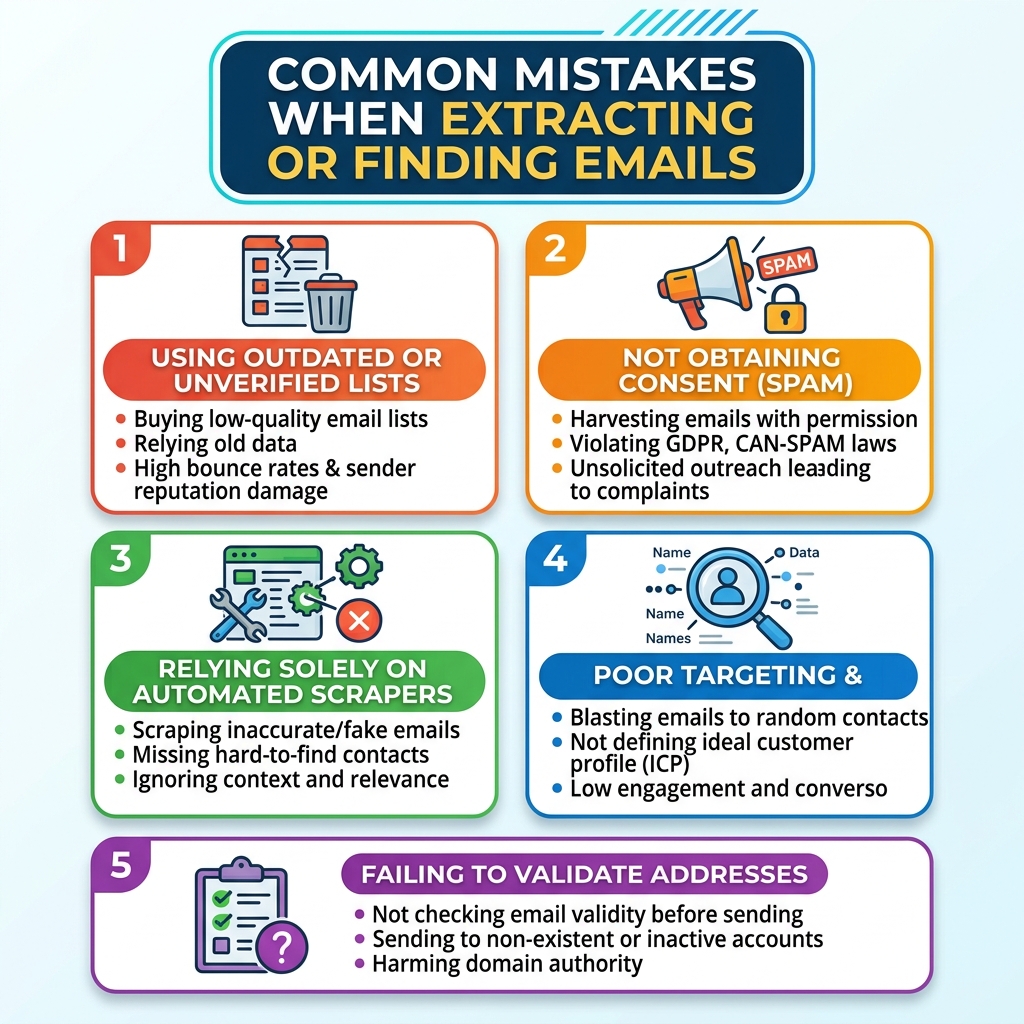
Treating extraction and finding as the same thing. A scraper surfaces what's published. A finder derives what isn't. Using a scraper when you need a finder (or vice versa) produces poor results and wastes time.
Scanning one page instead of the whole domain. Decision-makers rarely have their email on the homepage. A contact page, a team bio page, or a blog author profile might be the only place an address appears. Domain-level crawling catches what single-page tools miss.
Skipping verification before outreach. Extracted lists always contain some outdated or invalid addresses. Sending a campaign without a verification pass hurts deliverability and can damage your sender reputation.
Ignoring deduplication. Crawling multiple pages of the same domain often returns the same generic address (info@, hello@) multiple times. Deduplication before export keeps the list clean.
Choosing a tool based on "free" without checking the feature ceiling. A free extraction tool that can't export to CSV forces manual copying which reintroduces exactly the kind of error-prone work the tool was supposed to eliminate.
How to Extract Email Addresses from Websites (Step-by-Step)
- Clarify your goal. Are you scraping published addresses from company websites, or finding professional emails for specific named contacts? This determines which tool category fits.
- Build your target list. Gather the domains, URLs, or company names you want contact data from.
- Choose extraction depth. Single-page tools work for one-off lookups. Domain crawlers are more efficient when you need all contacts from a site. Email finders are the right choice when you're starting from a name or job title rather than a published address.
- Run the extraction or search. Point your tool at the source and let it work. Domain-level tools like Leads-Sniper crawl automatically; finder tools like Hunter and Snov.io work from the inputs you provide.
- Deduplicate and clean. Remove repeated generic addresses and obvious noise before moving forward.
- Export to CSV or Excel. A structured export makes the list usable in your CRM or outreach platform.
- Verify before sending. Run the final list through a verification step to filter out addresses likely to bounce.
Legal and Compliance Considerations
Email extraction and finding raise real compliance questions that vary significantly depending on your jurisdiction, the source of the data, the type of addresses you're collecting, and how you intend to use them.
This is not legal advice. The following points are general guidance only.
In the United States, CAN-SPAM sets rules for commercial email including requirements around identification, opt-out mechanisms, and honest subject lines. In the European Union and UK, GDPR and UK GDPR apply stricter standards to the collection and use of personal data, including email addresses.
Beyond applicable law, consider:
- Data source: Is the address truly publicly published, or are you deriving it through a finder? The legal treatment may differ.
- Individual vs. business email: Personal email addresses may attract stronger privacy protections than generic business contact addresses.
- Site terms: Many platforms explicitly prohibit automated data collection in their terms of service. Violating terms of service is separate from, and in addition to, any statutory issues.
- Purpose: Cold outreach, marketing campaigns, and research carry different obligations.
Before building any email extraction workflow at scale, consult qualified legal counsel in your jurisdiction. Use tools responsibly, collect only what you need, and always honor unsubscribe requests.
FAQ
What's the difference between a free email extractor and a free email finder?
An email extractor pulls addresses that are already published on a web page or domain. An email finder derives the likely professional email for a named person at a company, even if that address isn't publicly listed anywhere. Many of the tools on this list Hunter, Snov.io, Apollo, Skrapp are primarily finders. Leads-Sniper and Mailsumo are primarily extractors.
Can free email extractor tools scrape an entire website, or just one page?
It depends on the tool. Browser extensions like Mailsumo's typically extract from the page you're currently viewing (with automation across a URL list on the paid plan). Domain-wide crawling scanning every page of a website automatically is more advanced. Leads-Sniper's Domain Email Extractor is built specifically for that.
What's the best free email extractor for B2B lead generation?
It depends on the workflow. For finding specific contacts at target companies, Hunter or Snov.io are strong choices. For extracting all publicly visible emails from company websites and domains, Leads-Sniper's Domain Email Extractor is the more purpose-built option. For large-scale prospecting from a structured database, Apollo is worth evaluating.
Do I need to pay to export extracted emails to CSV?
Sometimes. Mailsumo's Email Extractor restricts CSV/Excel export to its paid Premium plan. Tools like Hunter, Snov.io, Skrapp, and Prospeo include CSV export on their free tiers, within their monthly credit limits. Leads-Sniper includes export as part of its trial experience.
Is it legal to extract or scrape email addresses from websites?
This depends heavily on your jurisdiction, the type of data involved, the source, and how you plan to use the addresses. Laws like CAN-SPAM (US), GDPR (EU), and UK GDPR impose specific obligations around personal data and commercial email. Site terms of service may also prohibit automated scraping. Consult a qualified legal professional before building any extraction or outreach workflow at scale.
Should I verify emails after extracting them?
Yes, always. Extraction surfaces addresses that exist in the HTML it doesn't confirm those addresses are still active or deliverable. Sending outreach to an unverified list increases bounce rates and can damage your sender reputation. Tools like Hunter, Snov.io, Prospeo, and Email Hippo all offer verification as part of their workflow.