


Finding accurate contact information for local businesses takes hours of manual work. You search for a specific service in a city, click on every map listing, copy the phone numbers, find the website, and paste everything into a spreadsheet. Multiply this process by hundreds of listings, and your sales team quickly runs out of time.
Choosing a Google Maps scraper tool automates this tedious process. Software handles the heavy lifting, allowing you to build massive lists of target accounts in minutes rather than weeks.
This guide breaks down exactly what these tools do, why businesses rely on them, and how you can select the right one for your data extraction needs in 2026.
What Is a Google Maps Scraper Tool?
A Google Maps scraper is an automated software application designed to extract public information from Google Maps listings. When you type a query like "plumbers in Chicago" into the search bar, the platform returns hundreds of results. A scraper mimics human browsing behavior to navigate these results and pull the visible data into a structured format.
Using one of these tools allows you to scrape business data from Google Maps at scale. The software collects business names, addresses, phone numbers, website URLs, review ratings, and operating hours. Once the scraper finishes its run, it organizes this raw data into a clean CSV or Excel file.
Data teams and sales professionals use this technology to bypass manual data entry. Instead of paying someone to copy and paste information, the scraper captures thousands of data points automatically.
Why Businesses Use Google Maps Scraping
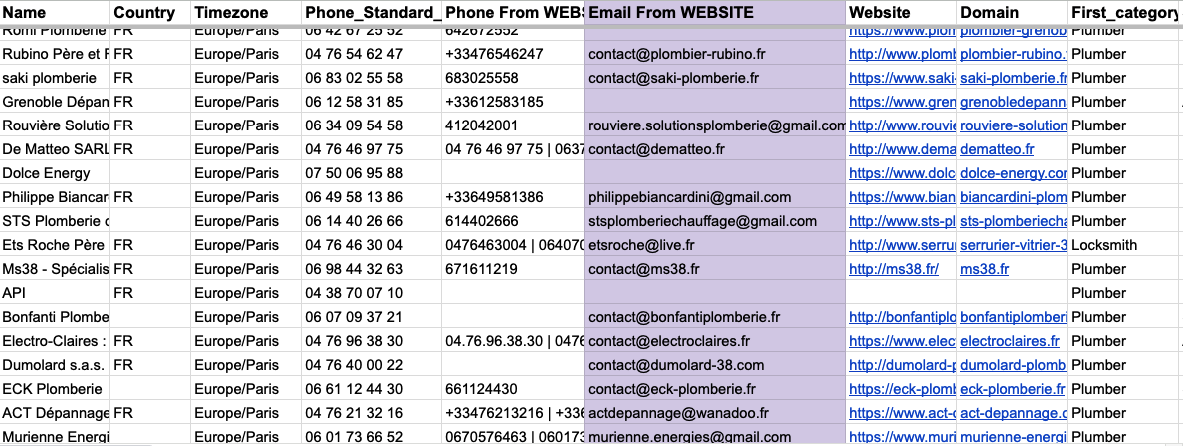
Extracting local business data provides a massive advantage for B2B companies. Organizations leverage Google Maps data extraction for several distinct operational strategies.
Lead Generation
Building lists of potential customers requires accurate contact details. Google Maps lead generation allows agencies, software companies, and wholesalers to find local businesses that fit their ideal customer profile. If you sell restaurant point-of-sale systems, scraping maps for restaurants in a specific zip code instantly gives you a targeted list of prospects. You get direct access to their phone numbers and websites to begin your outreach campaigns.
Local Business Research
Understanding a specific regional market requires comprehensive data. Companies use scrapers to map out all businesses operating within a certain radius. This helps franchises identify gaps in coverage or find areas with a high density of complementary services. Investors also use this data to evaluate the commercial health of specific neighborhoods before purchasing real estate.
Market Analysis
Competitor analysis relies on knowing who else operates in your space. By extracting map listings, you can analyze your competitors' footprint. You can review their customer ratings, see where they operate, and identify regions where they have weak presences. This data reveals market saturation levels and helps you decide where to launch new marketing campaigns.
Sales Prospecting
Sales representatives need detailed context before they make a cold call. A Google Maps scraper tool for local leads provides that necessary context. Reps can see how long a business has been operating, read their recent reviews, and check their business hours to optimize call times. This targeted approach significantly increases connection rates and booked meetings.
Key Factors to Consider When Choosing a Google Maps Scraper Tool
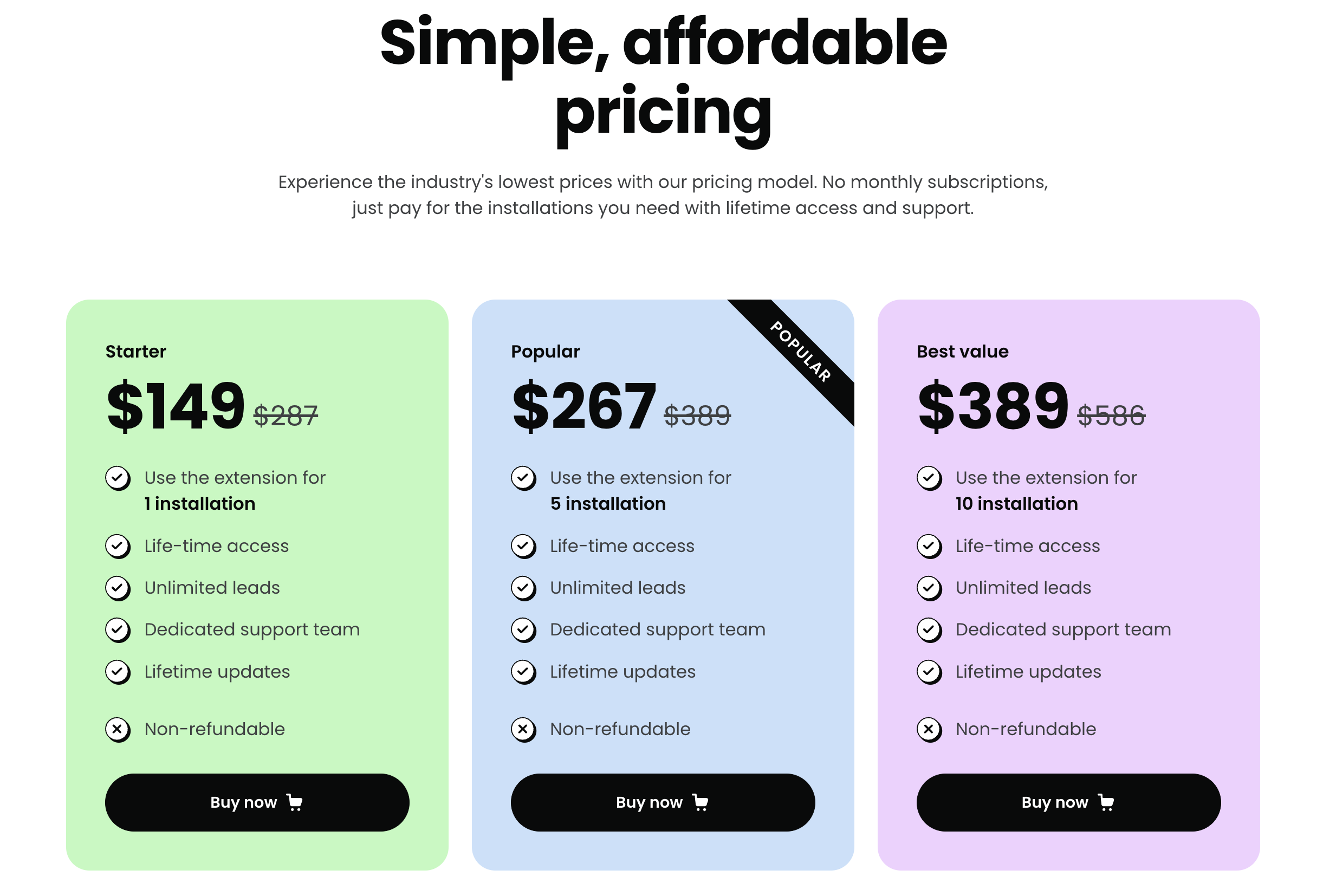
Selecting the right software dictates the quality of your data. When choosing a Google Maps scraper tool, you must evaluate several critical operational factors.
First, consider the extraction speed. Some tools process ten listings a minute, while others handle hundreds. If you need to build a database of 50,000 businesses, a slow scraper will bottleneck your entire operation. Look for tools that offer multi-threading capabilities to speed up the collection process.
Second, evaluate the data accuracy. Scraping raw HTML often results in messy data formatting. The best tools automatically clean the data, ensuring phone numbers follow a consistent format and addresses separate correctly into street, city, and zip code columns.
Third, look at the tool's proxy management system. Google limits how many searches a single IP address can make. Without proper proxy rotation, your scraper will get blocked. A reliable tool either includes built-in proxies or integrates seamlessly with third-party proxy providers.
Important Features to Look For
The best Google Maps scraping tools separate themselves through specialized features. When comparing options, prioritize software that offers these specific capabilities:
- Custom Search Radius: The ability to define exact geographical boundaries using coordinates or custom radius tools, rather than just relying on city names.
- Email Extraction: While Google Maps does not always list emails, advanced tools automatically visit the scraped website URLs to find and extract contact email addresses.
- Review Scraping: The capacity to extract customer reviews and ratings, which helps score the quality of the lead or perform sentiment analysis.
- API Integration: Options to push the scraped data directly into your CRM (like Salesforce or HubSpot) without requiring manual CSV uploads.
- Cloud-Based Operation: Software that runs on remote servers so you do not have to keep your computer turned on and connected to the internet during long scraping tasks.
Common Mistakes to Avoid
Many companies fail to maximize their data collection because they make basic operational errors. Avoid these common pitfalls when setting up your scraping workflows.
Do not ignore rate limits. Pushing a scraper to work too fast from a single IP address will result in temporary or permanent bans from the search engine. Always respect polite scraping practices and use appropriate delays between requests.
Avoid extracting data without a clear strategy. Scraping millions of rows of data is useless if your sales team only has the capacity to call 100 people a week. Focus on highly targeted, niche searches that produce high-quality leads rather than generic, massive lists.
Never assume the data will stay fresh forever. Local businesses close, change phone numbers, and move locations constantly. Build a recurring schedule to scrape business data from Google Maps regularly to update your CRM and remove dead leads.
Recommended Tools for 2026
The market offers dozens of options for data extraction, ranging from complex developer APIs to simple browser extensions. Your technical expertise and budget will largely dictate your choice.
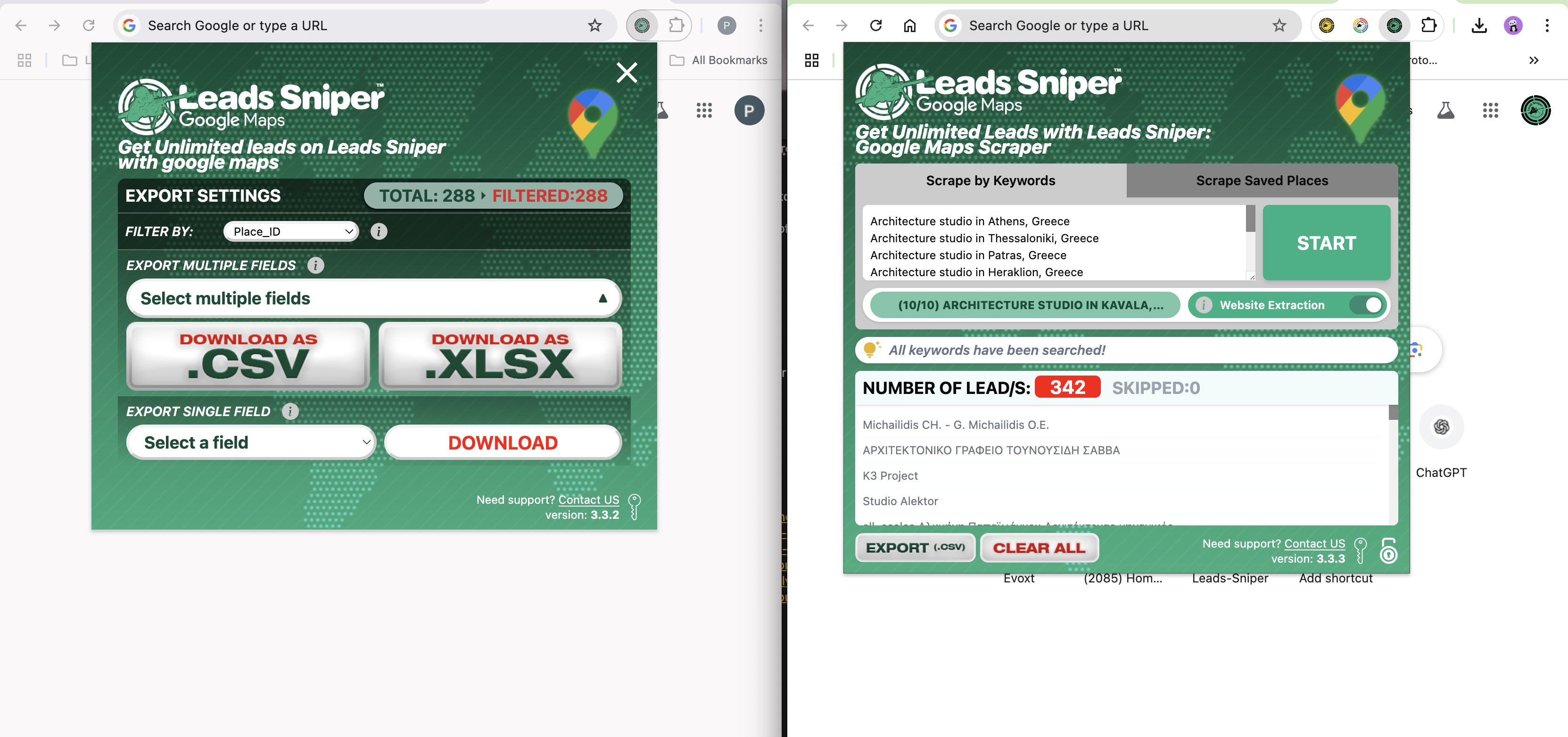
For non-technical users who need immediate results, Leads Sniper stands out as an exceptionally reliable solution. Leads Sniper is a powerful Google Maps scraper designed specifically for marketers, sales teams, and agencies. It simplifies the extraction process through a highly intuitive interface.
You simply enter your target keywords and locations, and Leads Sniper handles the proxy rotation, data parsing, and output formatting behind the scenes. It excels at extracting comprehensive business profiles, including phone numbers, websites, and social media links. Because it requires zero coding knowledge, your sales team can start building targeted prospect lists on day one. It strikes the perfect balance between powerful extraction capabilities and user-friendly design.
For development teams with custom requirements, API-based platforms like Apify or BrightData offer highly customizable infrastructure. These tools require programming knowledge to set up but allow for complex, large-scale data pipelines.
Future Trends in Google Maps Scraping for 2026
The technology behind data extraction continues to evolve rapidly. AI-driven parsing now allows scrapers to understand complex webpage structures without relying on rigid code selectors. This makes tools much more resilient to layout changes on search engine result pages.
We are also seeing a shift toward real-time data streaming. Instead of waiting for a massive batch of data to finish downloading, modern tools stream individual leads directly into sales workflows the second they are extracted. This allows sales reps to contact new businesses almost instantly.
Furthermore, anti-bot detection systems are becoming highly sophisticated. The tools that will dominate the market in the coming years are those that perfectly mimic human browsing patterns. They will handle complex JavaScript rendering and behavioral delays automatically, ensuring uninterrupted data access.
Conclusion
Building a predictable sales pipeline requires an endless supply of high-quality data. Choosing a Google Maps scraper tool correctly eliminates the manual bottleneck of lead generation.
By understanding your specific use cases, prioritizing essential features like proxy management, and avoiding common scraping mistakes, you can build a highly efficient data extraction workflow. Evaluate your team's technical skills and consider starting with a user-friendly option like Leads Sniper to generate immediate ROI.
Take the time to assess your data needs today. Implementing the right scraping tool will fundamentally upgrade how your business finds and connects with local prospects.


