Quick answer: A Google Maps scraper is a tool that automatically extracts business data names, phone numbers, addresses, emails, and more from Google Maps listings. Instead of copying details by hand, you get a clean, exportable list of targeted local leads in seconds. Leads Sniper's Google Maps scraper does this with a one-time payment, no monthly fees, and no export limits.
If you've ever spent a morning copying business names and phone numbers from Google Maps into a spreadsheet, row by painstaking row, you already know the problem. It's slow. It's error-prone. And by the time you're done, the data might already be stale.
Sales teams, lead generation agencies, and freelancers lose hundreds of hours every year to manual prospecting hours that could be spent on outreach, strategy, or closing deals. The good news is there's a better way. Google Maps scraping tools automate the entire extraction process, turning what once took a full workday into a task that takes seconds.
This guide covers everything you need to know about Google Maps scrapers: how they work, who benefits most, what data you can pull, and how Leads Sniper stacks up against manual prospecting. If you're serious about generating local business leads at scale, you're in the right place.
What Is a Google Maps Scraper and How Does It Work?
A Google Maps scraper is software that automatically collects publicly available business data from Google Maps listings. Instead of a human clicking through each listing and copying details, the scraper does it programmatically pulling hundreds or thousands of records into a structured, downloadable file like a CSV or Excel spreadsheet.
Here's what typically happens under the hood:
- You specify a business category (e.g., "plumbers") and a geographic area (e.g., "Chicago, IL")
- The scraper searches Google Maps using those parameters
- It visits each matching listing and extracts the relevant data fields
- Some tools go a step further, visiting the business's linked website to pull additional contact details like email addresses and social profiles
- The results are compiled and exported to your chosen format
Leads Sniper's Google Maps scraper handles all of this automatically. The interface requires no coding knowledge just enter your target keyword and location, and the tool does the rest. The entire process takes seconds, not hours.
Why Google Maps Is a Goldmine for Local Business Leads
Not all lead sources are created equal. LinkedIn has login walls and aggressive rate limits. Purchased contact lists go stale fast. Cold databases often require expensive monthly subscriptions. Google Maps is different and the data backs this up.
- 200+ million businesses are indexed across 220+ countries on Google Maps (Google, 2024)
- 2 billion people use Google Maps every month (SQ Magazine, 2025)
- 88% of consumers use Google Maps to find local businesses (BrightLocal/SeoProfy, 2026)
- 80% of local searches result in a physical store visit within 24 hours (WiserReview, 2025)
- Businesses with complete Google profiles receive 7× more clicks than those with incomplete listings (Google/Search Endurance, 2025)
What this means for lead generation: the businesses listed on Google Maps aren't passive entries in a directory. They're active commercial entities that local buyers are searching for right now. When you scrape Google Maps data, you're tapping into a living database of high-intent commercial activity not a cold, outdated list.
Google Maps also has no login wall. The data is publicly visible to any browser visitor, which is why tools like Leads Sniper can access it reliably, without the platform restrictions you'd face on LinkedIn or Facebook.
Key Benefits of Google Maps Data Extraction
Switching from manual prospecting to automated Google Maps data extraction delivers advantages across every stage of the lead generation process.
Speed at scale. Manual prospecting yields maybe 30–50 contacts per hour if you're efficient. A Google Maps scraper extracts thousands of records in the same time or less.
Consistent data quality. Human copy-pasting introduces typos, missed fields, and inconsistencies. Automated extraction applies the same logic to every record, resulting in clean, structured data.
Real-time accuracy. Leads Sniper pulls live data from Google Maps, not from a cached database that was last updated months ago. The businesses you contact today are the businesses that exist today.
Targeted filtering. Rather than exporting everything and sorting through noise, a good scraper lets you define your parameters upfront specific industries, cities, star ratings, and more. You get a focused list, not a data dump.
Cost efficiency. According to CopilotAI, the cost per qualified lead for AI-assisted prospecting runs $5–$15, compared to $20–$50 for manual methods. At scale, that difference compounds quickly.
No ongoing subscription. Unlike most lead databases that charge monthly regardless of usage, Leads Sniper operates on a one-time payment model with zero export limits. Pay once, generate leads forever.
Who Should Use a Google Maps Scraper?
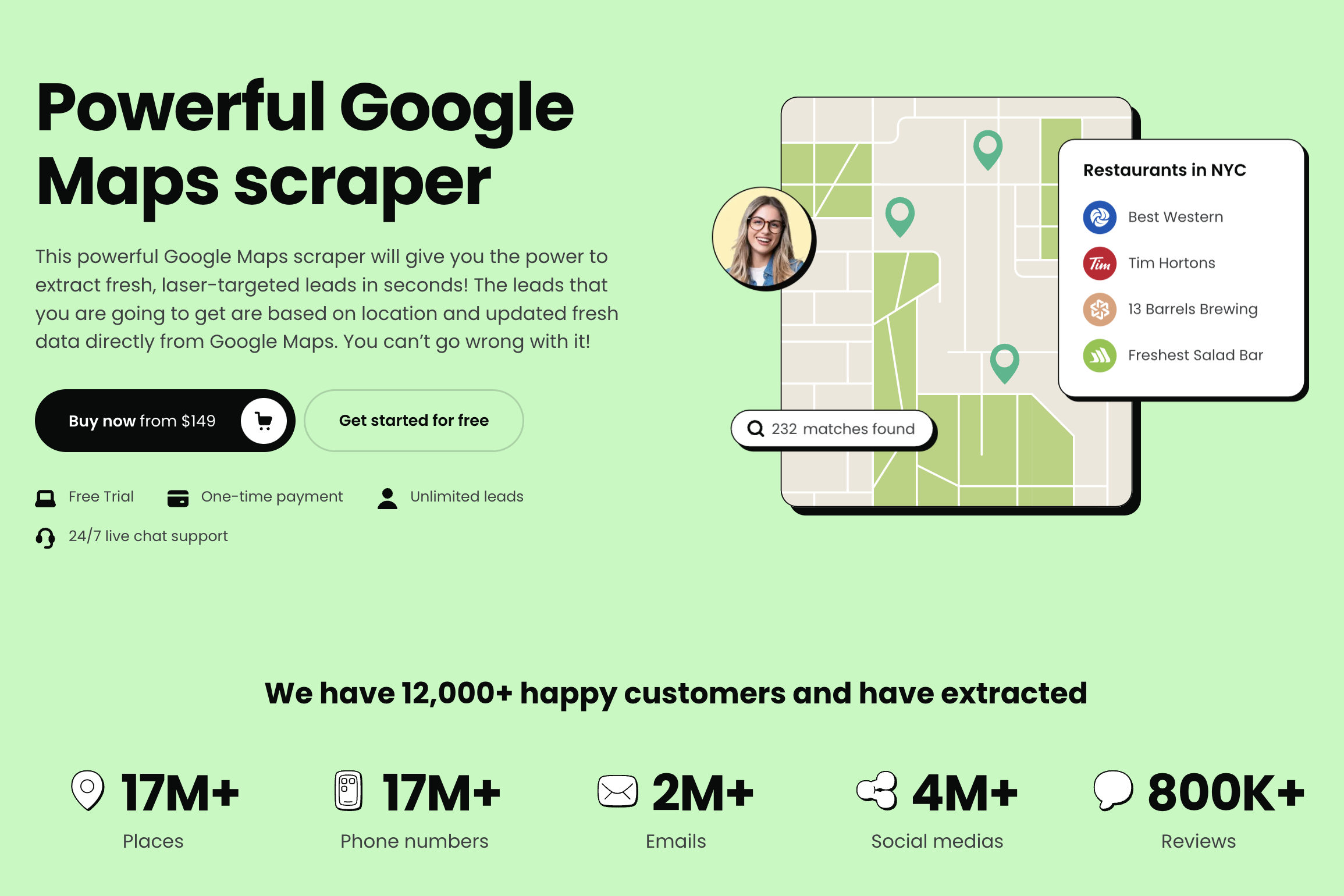
Google Maps scraping tools deliver value across a wide range of business functions. Here's how different users put them to work.
Lead Generation Agencies
Agencies managing prospecting campaigns for multiple clients need volume and flexibility. A Google Maps scraper lets agencies build targeted lead lists by client niche restaurant owners in Miami, HVAC companies in Denver, dental practices in Dallas without hiring additional researchers. Leads Sniper's unlimited export model is particularly well-suited here: agencies can serve multiple client verticals without running into per-lead costs or export caps.
Sales Teams
Inside sales reps spend a significant portion of their week on prospecting. Research suggests that an in-house Sales Development Representative (SDR) costs between $90,000 and $160,000 per year when you factor in salary, benefits, training, and turnover (Durhamlane). With SDR annual turnover exceeding 30% (SalesHive), that's a recurring cost. A Google Maps scraper doesn't replace human sales conversations but it eliminates the low-value research work, freeing reps to focus on outreach and closing.
Local SEO Agencies
SEO agencies use Google Maps data for competitive analysis, local pack monitoring, and client reporting. Scraping business listing data across a target geography gives agencies a structured view of how many competitors exist, what categories dominate, and which businesses have incomplete profiles all prime upsell opportunities.
B2B Marketers & Growth Hackers
Marketers running hyper-targeted outbound campaigns need precise segmentation. Google Maps data lets you filter by industry, location, and business type before you even open your outreach tool. Growth hackers have built entire acquisition workflows around Maps data scraping businesses that match a specific ICP, filtering for those without a website or with low review counts, and targeting them with a specific offer.
Freelancers
Freelancers offering services like web design, copywriting, social media management, or local SEO can use Leads Sniper to build their own prospect lists without depending on expensive lead databases. One well-targeted export can fuel months of outreach at essentially zero marginal cost.
Leads Sniper vs. Manual Prospecting
The difference between manual prospecting and using Leads Sniper isn't just speed it's a fundamentally different cost structure, scale ceiling, and data quality floor.
The conclusion is straightforward: at any meaningful volume, manual prospecting cannot compete on time, cost, or consistency. Leads Sniper removes the ceiling.
Key Features & Competitive Advantages of Leads Sniper
Leads Sniper's Google Maps scraper is built around the needs of serious lead generators not casual researchers who need 20 contacts a month. Here's what sets it apart.
One-time payment, unlimited access. Most competitor tools charge monthly subscription fees that add up to hundreds or thousands of dollars per year. Leads Sniper operates on a single payment model. You pay once and access the tool indefinitely, with no hidden fees and no per-export charges.
Zero export limits. There's no cap on how many leads you can pull. Whether you need 500 contacts for a niche campaign or 50,000 for a nationwide outreach effort, the platform doesn't throttle or restrict your exports.
Advanced web scraping algorithms. Leads Sniper uses sophisticated data extraction logic to pull accurate, complete business records not partial listings with missing fields.
Customizable scraping parameters. Target exactly what you need. Define your extractions by keyword, region, industry, or any combination of parameters to generate laser-focused lists rather than generic data dumps.
Real-time data updates. Every extraction pulls live data directly from Google Maps. You're not working from a cached snapshot you're getting current business information.
User-friendly interface. Leads Sniper requires zero technical expertise. No coding, no API keys, no command-line tools. The interface is designed so that anyone can start generating leads within minutes of signing up.
Data security. All data handling is protected with robust encryption protocols, ensuring your extracted data remains confidential and secure.
Live chat customer support. A dedicated support team is available via live chat to help with setup, troubleshooting, or any questions that come up along the way.
Step-by-Step Guide: How to Use Leads Sniper Google Maps Scraper
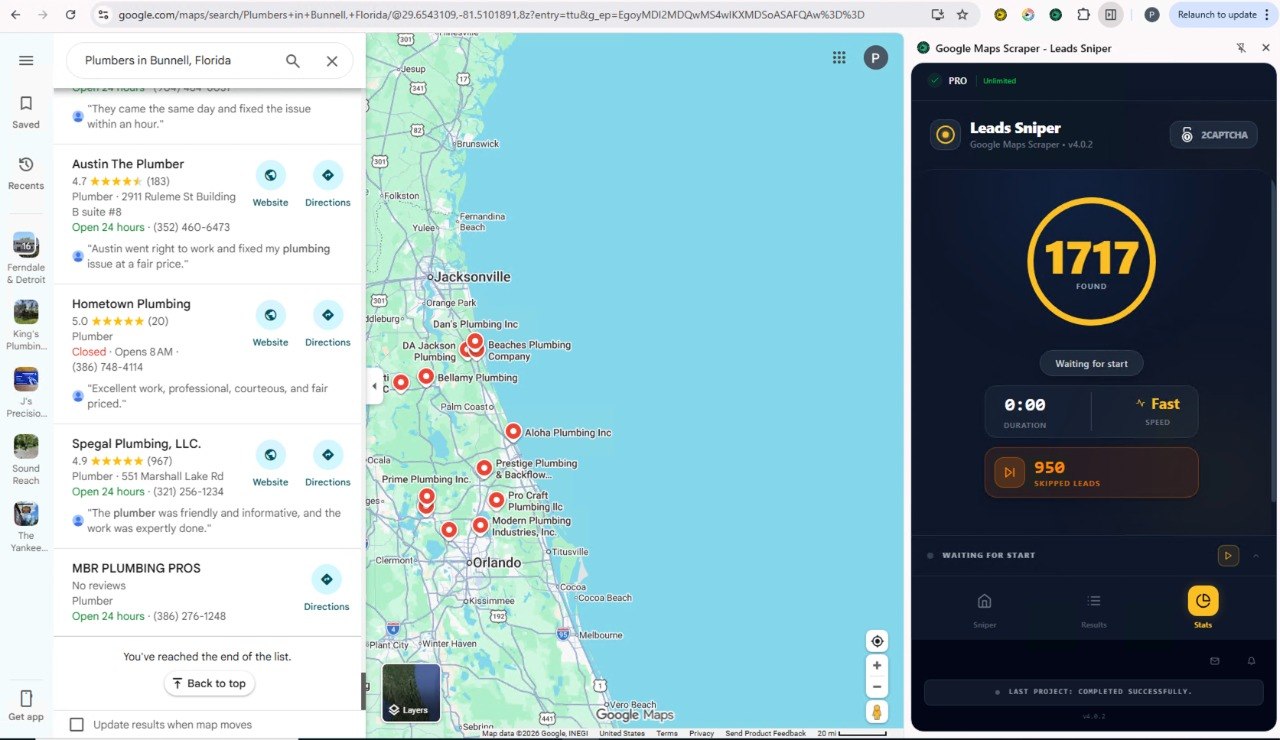
Getting started with Leads Sniper takes minutes, not days. Here's the full process from sign-up to exported leads.
Step 1: Sign up and access the scraper.
Visit leads-sniper.com and create your account. The setup process is quick, and you can access the Google Maps scraper tool immediately after completing your one-time payment.
Step 2: Define your target.
Enter your target keyword this is the type of business you're looking for, such as "dentists," "plumbers," "marketing agencies," or "coffee shops." Then specify your geographic target: a city, state, country, or region.
Step 3: Run the extraction.
Launch the scraper. Leads Sniper's algorithms pull real-time data directly from Google Maps based on your parameters. The process completes in seconds.
Step 4: Review your results.
Your extracted data will include business names, phone numbers, addresses, websites, ratings, and other publicly available information from each listing.
Step 5: Export your leads.
Download your results as a CSV or Excel file, ready for import into your CRM, outreach tool, or email marketing platform.
Step 6: Repeat for any niche or region unlimited.
Because there are no export limits and no monthly fees, you can run as many extractions as your campaigns require. Change the keyword, change the city, and generate a fresh list every time.
Practical Examples & Real-World Lead Generation Scenarios
Understanding how a tool works is useful. Seeing what it produces in a real scenario is better.
Scenario 1: A web design freelancer targeting local restaurants.
A freelancer types "restaurants" and "Nashville, TN" into Leads Sniper. Seconds later, they have hundreds of restaurant listings with phone numbers, websites, and addresses. They filter for those with low review counts and basic websites, identifying businesses that could benefit from a web redesign or local SEO upgrade. Instead of spending a morning on research, they spend it on outreach.
Scenario 2: A B2B SaaS company entering a new market.
A growth team wants to test whether their scheduling software resonates with hair salons in Texas. They use Leads Sniper to extract salons across Dallas, Houston, and Austin segmented by city and launch three separate cold email campaigns. The data is ready within minutes. Testing begins the same day.
Scenario 3: A lead generation agency serving a national home services client.
An agency needs a continuous supply of HVAC company contacts across the southeastern US. With Leads Sniper's unlimited export model, they run monthly extractions by state updating their prospecting list with fresh, real-time data without re-negotiating a data package or hitting a usage cap.
Scenario 4: A local SEO agency conducting a competitive audit.
An agency is pitching a new client in the dental space. Before the meeting, they extract all dental practice listings in the target city, identifying how many competitors are actively claiming their profiles, what their average star ratings look like, and which ones lack a website. The pitch is built on real data, not assumptions.
Best Practices for Ethical and Compliant Data Usage
Google Maps scraping involves publicly available business information. That said, using the data responsibly is both a legal and ethical requirement.
Understand what "public data" means legally. In the US, the hiQ Labs v. LinkedIn case established important precedent: scraping publicly accessible data does not violate the Computer Fraud and Abuse Act. Google Maps listings are fully public no login required which places them on firm legal ground for data collection purposes.
Know your regional regulations.
- GDPR (EU): Business data — company name, address, phone number, website is not personal data under GDPR in most interpretations. However, if your extraction includes identifiable individual contact details, GDPR handling requirements apply.
- CCPA (California): Publicly available business information falls outside CCPA's scope.
- CAN-SPAM: This governs how you use collected email addresses in outreach, not the collection itself. Always include an unsubscribe option, a physical address, and accurate sender information in commercial emails.
Only collect publicly visible data. Leads Sniper extracts information that any browser user can see without logging in. Stick to this boundary.
Use rate-conscious tools. Professional scrapers like Leads Sniper manage request rates responsibly, avoiding the kind of excessive server load that creates legal and practical problems.
Don't conflate collection with permission. Just because you can contact someone doesn't mean every contact method is appropriate. Respect opt-outs and monitor response data to keep your outreach relevant.
Common Challenges and How Leads Sniper Solves Them
Even with a powerful tool in hand, lead generation comes with real-world friction. Here's how Leads Sniper addresses the most common pain points.
Challenge: Leads are stale by the time you use them.
Many lead databases update their records quarterly or less. By the time you're reaching out, businesses may have closed, changed ownership, or updated their contact details.
Leads Sniper solution: Every extraction pulls live data directly from Google Maps, so the information reflects current listings not a cached snapshot from months ago.
Challenge: The tool is too technical for non-developers.
Most scraping tools require some degree of technical setup: API keys, Python scripts, browser extensions with complex configurations.
Leads Sniper solution: The platform was built for non-technical users. No code, no configuration files, no steep learning curve. If you can fill out a search form, you can use Leads Sniper.
Challenge: Monthly fees eat into margins.
Subscription-based lead tools charge whether you're actively prospecting or not. For agencies with variable campaign volumes, this creates unnecessary overhead.
Leads Sniper solution: A single one-time payment unlocks permanent access with no export limits. The tool pays for itself after the first campaign.
Challenge: Generic data makes targeting impossible.
Pulling a massive undifferentiated list of businesses doesn't help if your offer only applies to a specific niche or location.
Leads Sniper solution: Customizable scraping parameters let you define exactly what you're looking for by keyword, region, industry, and more — before you run the extraction.
Challenge: Questions arise mid-campaign.
If something goes wrong or a question comes up during a live campaign, waiting 48 hours for an email response isn't an option.
Leads Sniper solution: Live chat support connects you with a real team member quickly, so you're never blocked on a time-sensitive project.
Your Next Lead List Is 60 Seconds Away
Manual prospecting had its moment. Copying business names from Google Maps into a spreadsheet, one by one, made sense before tools like Leads Sniper existed. It doesn't anymore.
Google Maps holds over 200 million businesses across 220+ countries. Leads Sniper gives you direct access to that database filtered, targeted, and exported in seconds for a single one-time payment. No subscriptions. No export limits. No technical skills required.
The agencies, sales teams, and freelancers already using Leads Sniper aren't spending Monday mornings on manual research. They're spending them on outreach. The data was ready before they had their coffee.
Try Leads Sniper's Google Maps Scraper →
Frequently Asked Questions
What is a Google Maps scraper and what does it do?
A Google Maps scraper is a tool that automatically extracts publicly available business data from Google Maps listings including business names, phone numbers, addresses, websites, star ratings, and operating hours and compiles it into a downloadable file. Rather than copying details manually, the scraper gathers hundreds or thousands of records in seconds and exports them as a CSV or Excel file ready for outreach, CRM import, or analysis.
Is Google Maps scraping legal?
Scraping publicly available data from Google Maps is broadly considered legal in the US, supported by precedent from the hiQ Labs v. LinkedIn ruling, in which the court held that automated access to public data does not violate the Computer Fraud and Abuse Act. In the EU, standard business listing data (name, address, phone, website) does not constitute personal data under GDPR. That said, how you use the data matters: outreach emails must comply with CAN-SPAM, and any contact involving identifiable individuals triggers additional GDPR obligations. When in doubt, consult a legal professional familiar with your jurisdiction.
What kind of data can I extract from Google Maps using Leads Sniper?
Leads Sniper extracts publicly available business information from Google Maps listings, including business name, phone number, address, website URL, star rating, review count, operating hours, and business category. The specific data fields depend on what the business has populated in their Google listing.
How much does Leads Sniper cost?
Leads Sniper operates on a one-time payment model with no monthly fees and no export limits. You pay once and retain permanent access to the tool with unlimited lead generation. Visit leads-sniper.com for current pricing details.
Do I need technical skills to use Leads Sniper's Google Maps scraper?
No. Leads Sniper was built specifically for non-technical users. There's no coding, no command-line setup, and no API configuration required. You enter a keyword and a location, run the extraction, and download your results. Most users generate their first lead list within minutes of signing up.
How is Leads Sniper different from other Google Maps scrapers?
Leads Sniper's primary differentiators are its one-time payment model (most competitors charge monthly subscriptions), its zero export limits (no per-lead or per-export charges), and its real-time data extraction (every pull comes directly from live Google Maps listings, not a cached database). The platform also prioritizes ease of use, making it accessible to non-technical users without sacrificing data quality or volume.
How many leads can I extract with Leads Sniper?
There are no export limits on Leads Sniper. You can generate as many leads as your campaigns require whether that's 500 contacts for a niche local campaign or tens of thousands for a broad outreach effort without hitting a usage cap or incurring additional charges.
Can I target specific industries and locations with the scraper?
Yes. Leads Sniper allows you to define your target keyword (business type or industry) and your geographic area (city, region, or country) before each extraction. This means every list you generate is tailored to your specific campaign parameters rather than a generic data dump that needs sorting.
How accurate is the data extracted from Google Maps?
Leads Sniper uses advanced web scraping algorithms to extract data directly and in real time from Google Maps listings. Because the data comes from live listings rather than a static database, it reflects current business information. Accuracy depends on the completeness of each business's Google listing which is controlled by the business owner — but Leads Sniper captures everything publicly available in each record.
What should I do with leads after extracting them?
After exporting your leads from Leads Sniper, you can import them directly into your CRM (such as HubSpot, Salesforce, or Zoho), upload them to an email outreach platform, or use them in cold calling campaigns. Regardless of your outreach channel, ensure your campaigns comply with applicable regulations: include unsubscribe options in email campaigns, honor opt-out requests promptly, and avoid contacting businesses that have indicated they do not want solicitations.