Most people who search for a "Yellow Pages scraper" are really solving one of three problems. They need a list of local businesses to cold call. They want to identify prospects who need a service they sell. Or they're running an agency and need to build targeted outreach lists faster than manually copying data from a directory.
A Yellow Pages scraper solves the data collection part of that problem. What it doesn't solve and what almost no scraper guide bothers to explain is everything that happens between downloading a CSV and actually booking a meeting.
This guide covers both. It explains how to evaluate and choose a scraper, then goes considerably further: how to look at 3,000 raw Yellow Pages records and identify the 150 businesses worth reaching out to first, which signals in the data tell you who is a good prospect before you've spoken to them, and how real outreach campaigns are built on top of this data by agencies, sales teams, and local service businesses.
The qualification framework in the middle of this article is the most useful part. It's what separates a list from a pipeline.
Why Yellow Pages Data Is Still Genuinely Useful (And Where It Fails)
Yellow Pages has a reputation problem. Most marketers assume it's been fully displaced by Google Maps, LinkedIn, and modern intent data platforms. That's an incomplete picture.
For specific prospecting use cases, Yellow Pages remains difficult to beat. Here's why.
What makes Yellow Pages useful for lead generation:
Yellow Pages is a structured, category-organized directory with consistent data schemas. Every listing includes a business name, address, phone number, and category tag. Many include ratings, review counts, years in business, website URL, and BBB accreditation. That consistency is valuable because it means you can apply filters and qualification logic to the extracted data without first wrestling it into a usable format.
The directory also covers multiple countries: the US, Canada, UK, Australia, Germany, Switzerland, and South Korea. For agencies and sales teams with cross-border prospecting needs, that's meaningful.
Perhaps most importantly, Yellow Pages exposes qualification signals that Google Maps doesn't surface as cleanly: BBB ratings, accreditation status, payment methods accepted, associations and memberships, years with the directory, and unclaimed listing status. For prospectors who need to qualify businesses on legitimacy or longevity not just find them Yellow Pages provides more decision-relevant context per record.
Where Yellow Pages genuinely falls short:
The directory skews heavily toward established, brick-and-mortar local businesses. If your target is tech startups, SaaS companies, e-commerce brands, or digitally native businesses, Yellow Pages coverage is thin and unreliable. Email addresses are almost never listed in the directory itself (this matters for outreach; more on it below). And coverage depth varies by country. US and Canadian listings are richer and more complete than most international markets.
The practical rule: Yellow Pages is an excellent prospecting source for local service businesses, professional service firms, contractors, health and wellness providers, and other established categories where physical presence correlates with buying potential. It's the wrong source for prospect lists in digital-first industries.
Which Data Fields Actually Matter for Lead Generation
Extraction volume is easy to optimize. Data quality is harder and it's where most scraping workflows fall apart. Before you evaluate any tool, it's worth understanding which fields in a Yellow Pages record do real work in your pipeline.
Contact and identification fields (the baseline):
Every scraper should reliably capture the business name (exact, not truncated), primary telephone, full address broken into street, city, state, and postal code, the website URL, and primary business category. These are table stakes.
Fields that let you qualify leads before you reach out:
This is where the interesting differentiation happens.
Rating and review count together tell you whether a business has an established customer base. A business with 4.2 stars and 90 reviews is a different prospect than a business with 3.1 stars and 4 reviews not because the rating signals sales readiness, but because it signals market presence, tenure, and that customers are actually engaging with the business.
Years in business / years with Yellow Pages signals longevity. Businesses that have operated for five-plus years tend to have more stable budgets, more defined purchasing patterns, and cleaner decision-making than newer operations.
Claim listing URL tells you whether the listing is owner-managed or unclaimed. An unclaimed listing is a proxy for digital disengagement which, depending on what you sell, is either a disqualifier or a buying signal.
BBB rating and accreditation is a proxy for business legitimacy and customer complaints history. For agencies selling services to small businesses, avoiding low-BBB prospects reduces churn risk.
Extra phones increases cold-calling contact rates. A business with a primary and secondary number gives your callers more paths to a live conversation.
Associations and accreditations correlate with professionalism, trade membership, and often with higher average revenue.
Open hours helps outreach teams call during active business hours rather than burning calls on closed businesses.
Latitude and longitude enables geographic clustering, which is useful for field sales teams building drive routes or territory maps.
The honest truth about email addresses:
No Yellow Pages scraper extracts emails directly from the directory. Yellow Pages doesn't display them. What a good scraper does is capture the business's website URL, then scan that homepage for a publicly listed email. If the business's website shows an email address, a capable scraper will find it. If they don't publish one, no scraper can invent it.
This is one of the most commonly misunderstood capabilities in this space. Set expectations accordingly before planning email-heavy campaigns.
How to Evaluate a Yellow Pages Scraper: A Weighted Decision Framework
Most scraper comparisons focus entirely on price and speed. Neither matters much if the tool doesn't capture the fields that make your list actionable. Here's a more useful evaluation framework.
Yellow Pages Scraper Evaluation Scorecard
Proxy and VPS requirements: This is a practical filter before anything else. Tools that require proxies or a VPS to run at scale add infrastructure cost and complexity that most non-technical users don't want to manage. If your team isn't technical, this criterion alone should narrow your shortlist significantly.
The three tool formats and who they suit:
Browser extensions install in Chrome or Edge and extract data as you browse Yellow Pages. Setup is minimal, no proxies required, and you can start collecting data within minutes of installation. The constraint is that extractions happen in your active browser session. You can't set it and walk away. Best for sales teams and agencies who want fast, low-friction access to data without any infrastructure management.
Standalone desktop apps offer more configuration options and can sometimes run unattended. They tend to require more setup and occasionally need proxy configuration for large extractions. Better for technically comfortable users who want more control.
Cloud and API tools process extractions on external servers and return data via API or a web dashboard. Ideal for developers building automated data pipelines or teams that need to programmatically feed scraped data into CRMs. Pay-as-you-go pricing is common, which can become expensive at high volumes compared to one-time purchase tools.
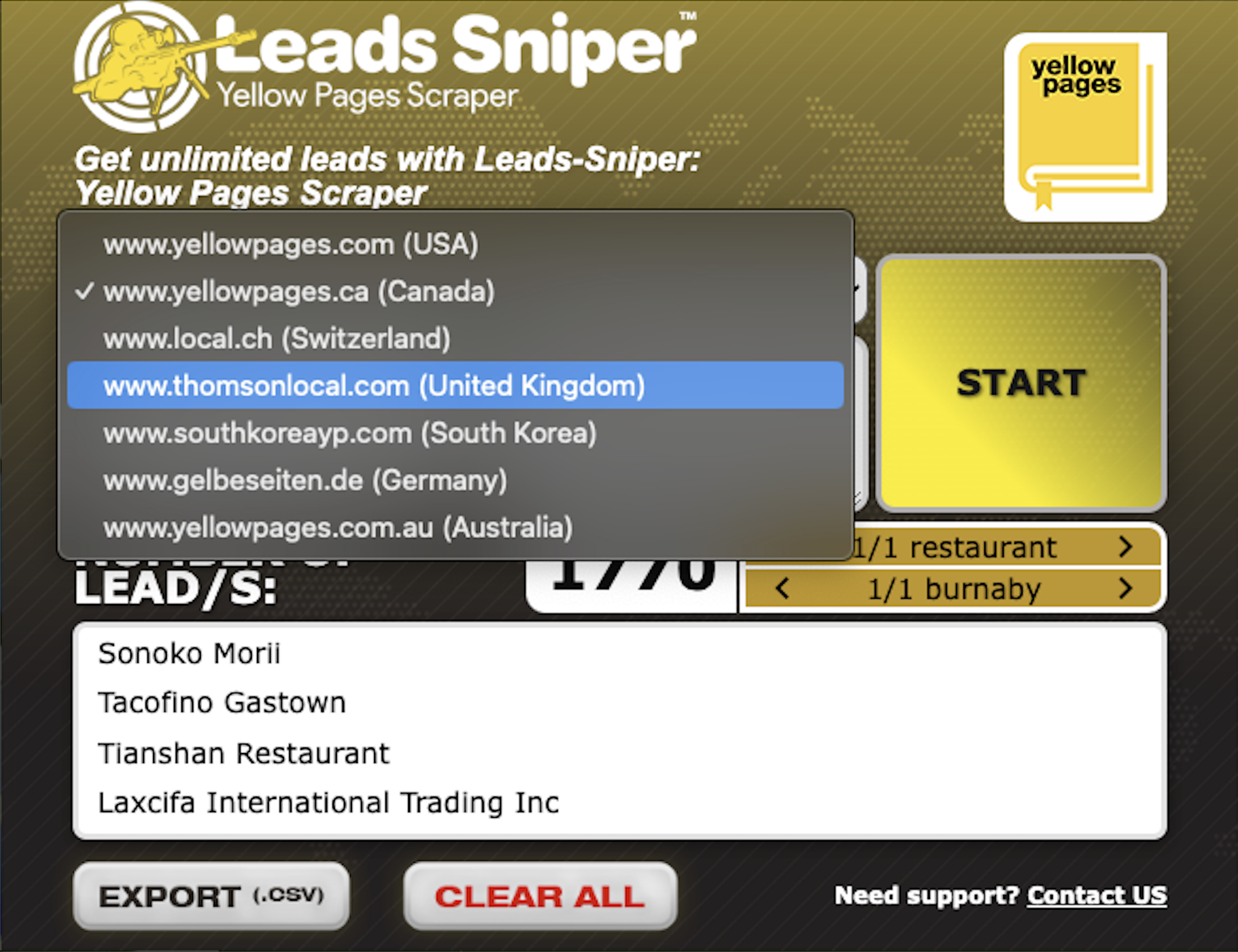
A note on Leads Sniper's Yellow Pages Scraper: Leads sniper yellow page scraper is a browser extension (Chrome and Edge) that extracts up to 45 fields per listing, scans business homepages for email addresses, covers multiple Yellow Pages markets internationally, requires no proxies or VPS, and exports to CSV and Excel. This yellow page scraper scores well on data depth, ease of use, and geographic coverage. A free trial is available without a credit card.
The Qualification Framework: Turning 5,000 Records Into 500 Priority Prospects
This is the section that most scraper guides skip. Extraction gets you a spreadsheet. Qualification is what turns that spreadsheet into a list your sales team will actually work.
Here's how to do it systematically.
The Yellow Pages Lead Signal Matrix
Each of these signals can be identified directly from fields in a Yellow Pages extraction. The outreach angle column explains how each signal translates into a targeted pitch.
The most important combination: A business with no website, an unclaimed listing, a 4.0+ rating, and 30+ reviews is your highest-priority prospect in almost any agency or digital services context. They have demonstrated market demand and customer satisfaction but they're almost invisible online. That combination is rare and worth prioritizing.
Two Real Outreach Scenarios Built on Yellow Pages Data
Abstract frameworks are only useful if you can see how they work in practice. Here are two worked examples.
Scenario 1: A Web Design Agency Targeting Dentists in Texas
The goal: Find dental practices in Texas that need a new or improved website.
The extraction: Search Yellow Pages for "dentists" across Houston, Dallas, San Antonio, and Austin. At scale, this returns several thousand records.
The filtering sequence:
- Remove duplicates (same business name, same phone number)
- Filter out large group practices and dental chains (these have in-house marketing)
- Flag all rows where the Website URL field is blank. These are your highest-priority targets
- For rows with a website URL, do a spot check on 20 to 30 randomly sampled sites. If you see a consistent pattern of outdated designs (no mobile optimization, copyright dates from 2015 or earlier), flag those rows as second-tier targets
- Sort remaining rows by review count descending. Practices with more reviews have more established patient bases, which means more budget and more incentive to invest in their online presence
- Cross-reference the BBB rating field. A-rated practices are more likely to have professional management that values credibility signals
- Set a threshold: prioritize the top 300 records for personal outreach, batch the next 500 for a lighter-touch email sequence
What you end up with from a 2,000-record extraction:
- About 150 practices with no website at all (top priority)
- About 200 practices with visibly outdated sites (second priority)
- About 650 practices worth a lower-touch email campaign
- About 1,000 records that don't meet your quality bar at this time
That's the difference between "we have 2,000 dentist leads" and "we have a tiered, prioritized campaign."
The pitch angle for no-website practices: "We found your practice on Yellow Pages, but noticed you don't have a website. Most patients in [city] search for dentists on their phones before calling. We built [nearby practice name]'s site in three weeks and they saw [result] in the first 90 days."
This pitch is specific, credible, and directly connected to what the Yellow Pages data told you.
Scenario 2: An SEO Agency Targeting Plumbers and HVAC Companies Nationally
The goal: Build a national prospecting list of plumbing and HVAC businesses that are actively operating but have weak digital visibility.
The extraction: Run searches across 15 major metro areas for "plumbers," "plumbing contractors," "HVAC," and "heating and cooling." Export everything.
The qualification logic:
The combination you're looking for: business has been operating for at least three years (years in business 3 or more), has a website (so they understand the internet exists), has fewer than 25 reviews on Yellow Pages (suggests weak online presence even if they've been around), and their website is not ranking for obvious local keywords (you can spot-check this in about 20 seconds per domain with a basic SEO tool).
This combination (established business, weak online footprint, existing website) is the core SEO agency prospect. They have revenue to invest, they understand what a website is, but they're not getting traffic.
The filtering sequence:
- Remove obvious chain businesses (multiple locations, recognizable brand names)
- Filter for years in business 3 or more
- Filter out rows where website URL is blank (these are web design leads, not SEO leads)
- Sort by review count ascending. The lowest review counts in the list are your best prospects
- Batch into territories by state or metro area for sales rep assignment
- Run spot checks on 50 to 100 domains from your top batch to confirm weak search visibility before calling
What you end up with: A segmented, rep-assigned list of established service businesses who are operational, have websites, but are losing customers to better-ranked competitors. The pitch writes itself.
Yellow Pages vs. Google Maps: A Practical Comparison
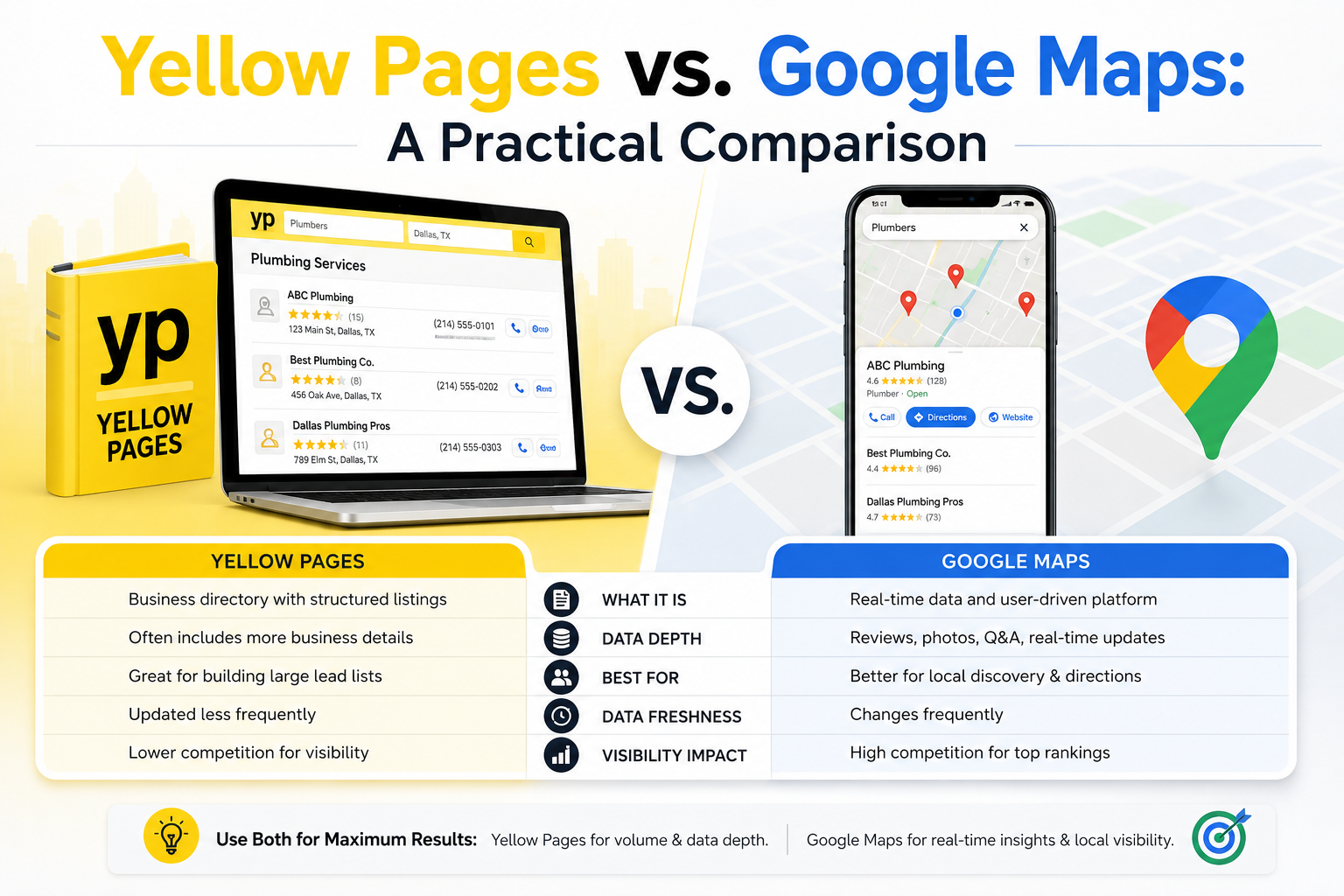
This debate gets settled too quickly in most articles. Google Maps is the obvious modern winner in terms of listing volume and data freshness. But the comparison is more nuanced when you look at it from a qualification standpoint.
Where Yellow Pages has a genuine edge:
Yellow Pages surfaces structured qualification fields that Google Maps doesn't expose: BBB rating, accreditation status, associations and memberships, years in business, payment methods accepted, claim status, and secondary phone numbers.
For prospectors who need to filter on business legitimacy or tenure (not just find any business in a category), Yellow Pages gives you more decision-relevant data per record in a single extraction.
Yellow Pages's category taxonomy is also more formally structured than Google Maps's business type tags, which makes category-based segmentation more reliable.
Where Google Maps is stronger:
Volume and recency. Google Maps hosts over 200 million business listings globally and updates them continuously. Coverage is stronger for newer businesses, digitally native companies, and markets outside the traditional Yellow Pages footprint.
For discovery-oriented prospecting, especially across consumer categories, Google Maps reaches businesses that Yellow Pages misses.
When to use both:
For serious prospecting operations (agencies running multiple client campaigns, sales teams covering broad territories) both directories have a role. Yellow Pages gives you depth and qualification context. Google Maps gives you volume and recency. Running parallel extractions across both, then deduplicating by business name and phone number, produces the most complete local business datasets available without paying for expensive third-party data.
If you're already using a Google Maps scraper alongside your Yellow Pages tool, it's worth running both on the same target category and geography, then comparing coverage overlap and unique records. The difference is often surprising.
How to Build Your Outreach Workflow After Extraction
Extraction is 10% of the lead-generation process. Here's what the other 90% looks like.
Step 1 — Clean and deduplicate
Before any filtering or scoring, run a deduplication pass on business name plus phone number. Multi-search campaigns across overlapping geographies or keywords will always produce duplicate records. Load your CSV into a spreadsheet and use a simple formula to flag rows where both fields match an earlier row, then delete duplicates.
Step 2 — Apply your qualification filters
Use the signal matrix from the section above. Add a column called "Priority Tier" and tag each row as Tier 1, Tier 2, or Tier 3 based on whichever signals matter most for your specific campaign. This takes 20 to 30 minutes for most exports but transforms how your team works the list.
Step 3 — Enrich high-priority records
For your Tier 1 prospects (the ones you'll contact personally) spend two or three minutes on each business before reaching out. Look at their website. Check whether they appear in Google search results for obvious local keywords. Confirm their hours and that they're still operating. This brief enrichment step dramatically improves call conversion because you can lead with specifics rather than generic openers.
Step 4 — Load into your CRM with segmentation intact
Don't flatten your list when you import. Preserve the tier tags, territory assignments, and any notes from your enrichment pass. Assign Tier 1 records to your best reps. Batch Tier 2 into an email sequence. Park Tier 3 for future campaigns.
Step 5 — Choose your outreach channel based on available data
- Phone number available, no website: Call first. The pitch is direct and time-sensitive.
- Website URL available, email discoverable: Cold email followed by a phone call.
- Physical address only: Direct mail works better than many marketers assume for service businesses in traditional categories.
- Social links available: LinkedIn or Facebook outreach can warm a cold prospect before you call.
Step 6 — Track and iterate
After your first campaign run, look at which signals actually correlated with positive responses. Did no-website businesses convert better than low-review businesses? Did certain categories respond better to email versus phone? Feed those signals back into your next extraction and filtering logic. Over three or four campaign cycles, this iterative qualification improves your prospecting ROI significantly.
Common Mistakes That Waste Yellow Pages Extraction Effort
These mistakes come up repeatedly in agency and sales team scraping workflows.
Running massive extractions without a qualification plan. 50,000 records is impressive. It's also useless without a method to reduce it to 2,000 actionable contacts. Always define your qualification criteria before you extract, not after.
Expecting emails on every record. In a typical Yellow Pages extraction of local service businesses, roughly 30 to 50% of records will have a website URL. Of those, a meaningful subset will have a publicly listed email on their homepage. Set realistic expectations and build campaigns that can function through phone outreach for records without email.
Ignoring the unclaimed listing signal. Unclaimed listings are underused. They represent businesses with weak digital engagement, which is either a targeting criterion or a disqualifier depending on what you sell. Either way, it's a signal worth flagging.
Contacting the same business from multiple overlapping extractions. If you run searches for "plumbers," "plumbing contractors," and "plumbing services" in the same city, you'll almost certainly extract the same businesses multiple times. Deduplicate before any outreach or you'll damage your reputation with prospects before the first conversation.
Skipping the data freshness check. Yellow Pages listings are owner-maintained, which means they can be outdated. Before calling a batch of high-priority prospects, do a spot-check: are these businesses still operating? A quick Google search on five to ten records in each batch takes five minutes and prevents you from wasting calls on businesses that have closed or moved.
Frequently Asked Questions
Is it legal to scrape Yellow Pages for lead generation?
Scraping publicly available business directory information for B2B outreach purposes is generally legal in most jurisdictions. Yellow Pages listings are public by design, since businesses add them specifically to be found by potential customers.
That said, how you use the data matters. You still need to comply with anti-spam laws like CAN-SPAM in the US, CASL in Canada, and GDPR in Europe when using extracted contact information for outreach. The legality of the extraction is separate from the legality of how you use the data.
How many emails can I realistically expect to find per Yellow Pages extraction?
This varies by category and market, but a realistic range for US local service businesses is that roughly 20 to 40% of extracted records will have a discoverable email address from the business's website homepage. Categories with higher website adoption (professional services, healthcare, legal) tend to yield higher email discovery rates.
Categories with lower website adoption (some trades, newer businesses) will yield fewer. Never plan an email-only campaign assuming full email coverage on a Yellow Pages list.
What's the best way to prioritize a large Yellow Pages export quickly?
The fastest method is a two-column filter: website URL (blank vs. populated) and review count (low vs. high). Businesses with no website and a moderate review count are typically your highest-priority prospects for digital services.
Businesses with a website and high review count are better prospects for growth-oriented services like SEO or paid advertising. That simple two-variable sort gives you a workable priority structure in under ten minutes.
How often should I re-scrape the same category and geography?
For most prospecting campaigns, re-scraping every 60 to 90 days captures a meaningful number of new listings without generating excessive overlap with your previous extraction.
Businesses that have recently added or updated Yellow Pages listings are often in a growth phase, which makes them more receptive to outreach than businesses that have been in the directory for years without updating their information.
How is Yellow Pages different from Google Maps for lead generation?
Yellow Pages provides richer structured qualification data per listing (including BBB rating, years in business, accreditation, associations, and claim status) but has lower volume and less frequent updates than Google Maps.
Google Maps has dramatically more listings and more current data, but surfaces fewer qualification signals in a structured, scrapable format. Both have a role in serious prospecting operations; they're complementary, not competing sources.
Can I use Yellow Pages data for direct mail campaigns?
Yes, and direct mail is an underused channel for Yellow Pages-sourced leads. The directory provides full physical addresses, which most digital prospecting sources don't. For local service businesses in traditional categories, a well-targeted postcard or letter often outperforms cold email in terms of response rate.
The physical address data from Yellow Pages is one of its most undervalued assets for omnichannel outreach campaigns.