
How to Generate B2B Leads from Google Maps (2026 Guide)
TL;DR: Google Maps is one of the most accurate, up-to-date B2B prospecting databases available, and most sales teams overlook it. This guide covers every stage of the Google Maps lead generation workflow: manual prospecting, automation tools, lead quality scoring, decision-maker identification, data enrichment, CRM preparation, and outreach readiness, with original frameworks you can apply immediately.
Most sales prospecting guides tell you to build a list, send cold emails, and follow up. What they skip is everything in between: the qualification, verification, enrichment, and segmentation that determines whether your outreach actually converts.
Google Maps has quietly become one of the richest B2B lead sources available. Over 265 million unique places are indexed on Google Maps globally, and the vast majority of US-based local businesses maintain an active Google Business Profile because their livelihood depends on it.
That self-interest creates something traditional directories rarely offer: data that business owners are motivated to keep accurate.
This guide covers the full workflow. Not just how to find businesses on Google Maps, but how to evaluate lead quality, identify the decision-maker behind a listing, verify and enrich contact data, score and prioritize prospects, and prepare outreach that actually gets responses.
Each section is built around original frameworks (checklists, scoring models, and comparison tables) you won't find in competing articles.
Whether you're a solo sales rep building a pipeline from scratch or a team lead systematizing prospecting at scale, this is the most complete resource on Google Maps lead generation available for a US audience.
1. What Google Maps Lead Generation Is (and Why It Works for B2B)
Google Maps lead generation is the practice of extracting business information from Google Maps listings to build targeted B2B prospect lists. The core mechanic is simple: search for a business type in a specific location, collect contact and profile data, qualify the leads, and initiate outreach.
What makes it effective is the data quality. Unlike static B2B databases, which can have error rates exceeding 25% due to outdated records, Google Maps is continuously refreshed. Business owners update their own profiles to maintain search visibility.
Phone numbers, websites, hours, and locations are verified at the source. Reviews reveal operational health, customer sentiment, and service categories that no directory can replicate.
For B2B sales teams, this translates into three concrete advantages:
- Recency: Listings reflect current business status, not last year's export from a data vendor.
- Specificity: You can target by category, city, neighborhood, rating, and review count, which is far more granular than most paid databases.
- Volume: Google Maps indexes virtually every US business with a physical presence or defined service area. The coverage is unmatched.
The limitation is that Google Maps doesn't hand you decision-maker emails or direct-dial numbers. Closing that gap is where workflow and tooling matter, and where this guide focuses most of its depth.
2. Who Should Use Google Maps for Lead Generation?
Google Maps prospecting is most effective when your ideal customer has a physical location or a defined service territory. That covers a wide range of B2B scenarios.
Industries and business types best suited to this approach:
Where Google Maps prospecting underperforms:
- Fully remote or digital-only businesses (limited map presence)
- Enterprise accounts (decision-makers aren't surfaced in listings)
- Highly regulated industries where cold outreach compliance is complex (healthcare, finance)
If your ICP is a local or regional business with 5-200 employees, Google Maps is one of the most cost-effective prospecting channels available.
3. What Competing Articles Get Wrong About This Topic
Most content on Google Maps lead generation stops at "search for a keyword, scrape the results, send cold emails." That approach misses the majority of what makes this channel work.
The gaps most guides leave open:
- No lead quality framework. Not every business that appears in search results is worth contacting. Listings vary wildly in activity level, profile completeness, and decision-maker accessibility.
- No decision-maker strategy. A Google Business Profile shows a business name and phone number. It rarely names the owner or department head. Most guides skip this entirely.
- No verification workflow. Scraped emails bounce. Unverified lists damage sender reputation and waste outreach volume.
- No scoring or prioritization. Treating a 4.8-star business with 300 reviews the same as a 2-star listing with no website is a fundamental prospecting error.
- No compliance guidance. US-based outreach to businesses carries legal considerations under CAN-SPAM and, in some cases, TCPA, particularly for phone-based follow-up.
This guide fills all of those gaps.
4. Understanding Search Intent: What People Want When They Search This Topic
People searching "how to generate B2B leads from Google Maps" fall into three distinct intent categories:
- Tactical beginners - They want a step-by-step manual process they can start today without buying any tools.
- Scale-seekers - They've done manual prospecting and are looking to automate. They want tool comparisons and workflow guidance.
- Systems builders - They're constructing a repeatable lead generation process. They need frameworks, checklists, scoring models, and CRM-ready workflows.
This guide addresses all three. The manual walkthrough comes first, followed by automation options, then the frameworks needed to turn raw map data into a qualified, outreach-ready prospect list.
5. Manual Google Maps Lead Generation: Step-by-Step Walkthrough
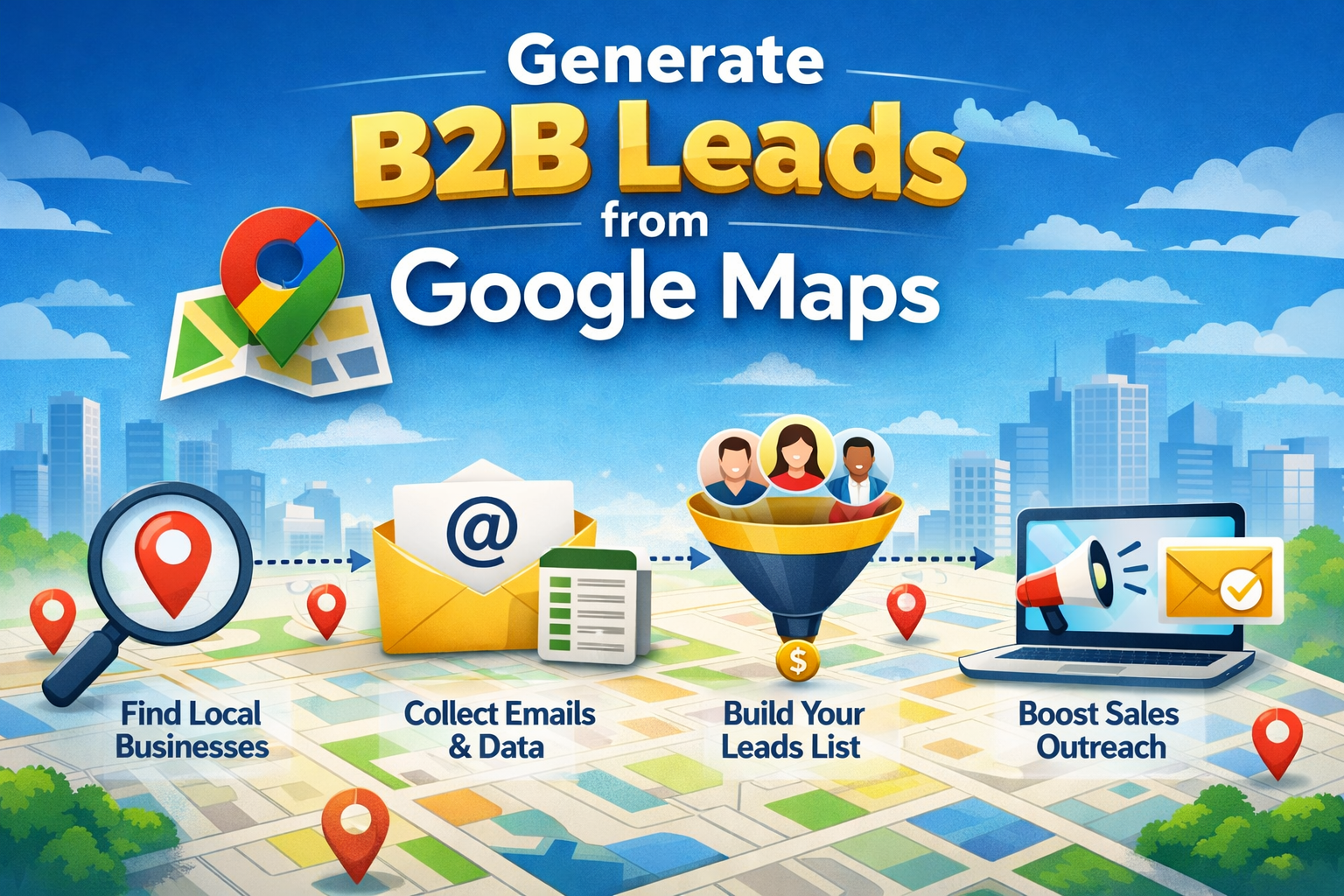
Manual prospecting is the right starting point for new markets or niche segments where you want high selectivity before automating. Here's how to do it methodically.
Step 1: Define Your Search Parameters
Combine your target business category with a specific city or ZIP code. Broad searches waste time and return irrelevant results. Narrow searches produce manageable, high-quality lists.
Structure: [Business type] in [City, State] or [Business type] near [ZIP code]
Step 2: Apply Google Maps Filters
After your initial search, use the built-in filter options to narrow results:
- Rating: Filter to 4.0+ stars to surface active, well-regarded businesses
- Open now / Hours: Confirms active operation
- Business category: Refines results when your search term returns mixed categories
Step 3: Evaluate Individual Listings
Don't collect every result. Review each listing and assess:
- Is the website active and functional?
- Does the profile have photos, hours, and a description?
- How many reviews does it have, and are responses being posted?
- Is there a clear service area or physical address?
A complete, active profile signals a business that invests in its online presence and is more likely to have budget for B2B solutions.
Step 4: Collect Contact Data
Visit the linked website. Navigate to the Contact, About, or Team page. Record:
- Business name
- Owner or manager name (if listed)
- Business email address
- Phone number
- Website URL
- Physical address
- Google Maps rating and review count
- Notes on service category and any visible pain points (slow website, no SSL, no social links)
Real-World Examples by Industry
Roofing companies in Dallas, TX
Search: roofing contractors Dallas TX
Filter for 4+ stars, check for active websites. Target companies with 10-100 reviews, large enough to be established, small enough to lack a dedicated vendor relationship.
Dentists in Chicago, IL
Search: dental clinic Chicago IL
Look for solo or dual-practitioner offices, not large DSO chains. Independents have more purchasing autonomy.
HVAC companies in Phoenix, AZ
Search: HVAC repair Phoenix AZ
Seasonal businesses (AC-heavy in Phoenix) often have peak-period budget for operational tools. Check profile for "financing available," which is a signal of higher average ticket size.
Restaurants in Miami, FL
Search: restaurant Miami FL [neighborhood] (e.g., Wynwood, Brickell)
For B2B sellers targeting hospitality (POS systems, linen services, food suppliers), neighborhood-level searches avoid tourist traps and surface owner-operated establishments.
Lawyers in Houston, TX
Search: personal injury attorney Houston TX
Solo and small-firm lawyers are strong targets for legal software, answering services, and marketing tools. Profiles with sparse reviews often indicate under-served digital presence.
6. Google Maps Search Operators and Filtering Techniques
Standard Google Maps search has limited operator support compared to web search, but combining platform filters with structured search terms significantly sharpens results.
Techniques that work:
- Category + qualifier:
"family-owned" restaurant Miamisurfaces independent operators vs. chains - Service area search: Enter a ZIP code instead of a city name to isolate hyper-local results
- Negative filtering via category: Select a specific category from the left panel to exclude businesses that appear under broad terms
- Review count as a proxy for size: Businesses with 50-300 reviews often represent the small-to-mid-market sweet spot, visible enough to be established, not so large that they use enterprise procurement
- Google Search complement: Use
site:google.com/maps [keyword] [city]in standard Google Search to surface map listings through web results, giving you a different view of the same data
What doesn't work:
Google Maps doesn't support boolean operators (AND, OR, NOT) natively. For that level of filtering, you'll need a structured data export tool or a Google Maps scraper that allows category and rating filters at the extraction stage.
7. Automated Google Maps Lead Generation: Tools and Workflows
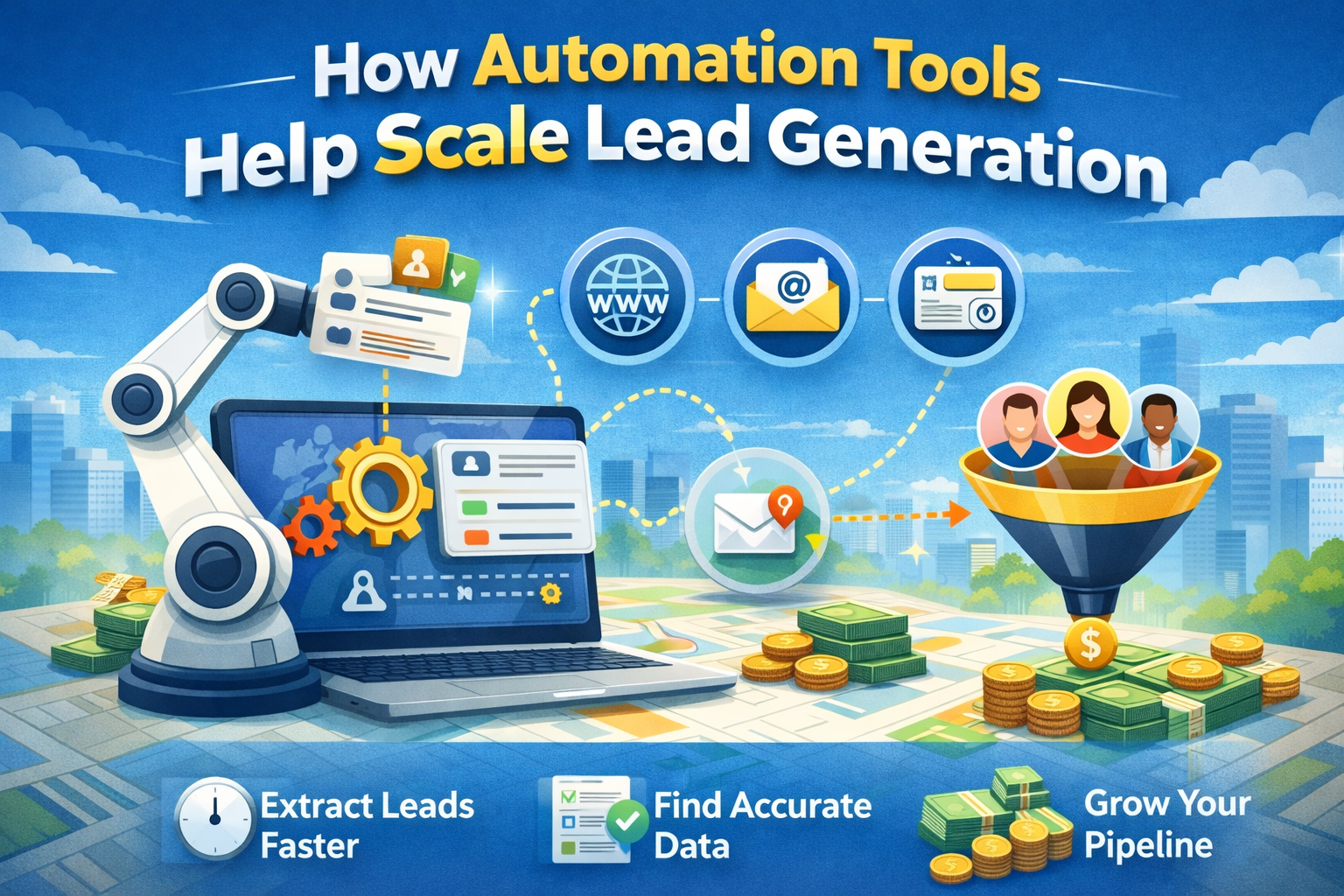
Manual prospecting works for 20-50 leads per session. Anything beyond that requires automation. Google Maps scrapers extract business data programmatically, turning hours of copy-paste work into minutes of setup.
How automated extraction works:
- Input your target keyword and location (or a list of locations)
- The tool queries Google Maps and pulls all matching listings
- Business data is extracted: name, address, phone, website, category, rating, review count
- The tool crawls linked websites to find email addresses and social profiles
- Results are exported to CSV or pushed directly to a CRM
Leads Sniper's Google Maps Scraper handles this workflow end-to-end, including email extraction from business websites, which is the step that trips up simpler tools. The output is a clean, structured file ready for verification and outreach sequencing.
Manual vs. Automated Workflow Comparison
Decision rule: Use manual prospecting when you need fewer than 100 highly specific leads and want to qualify as you go. Switch to automation when you're targeting a well-defined ICP across multiple cities, or when list-building is consuming more than 20% of your prospecting time.
8. Google Maps Lead Quality Indicators Framework
Not every listing deserves a spot on your outreach list. Use this framework to score lead quality before investing time in enrichment or outreach.
Five dimensions of Google Maps lead quality:
1. Profile Completeness
A fully filled-out Google Business Profile (hours, photos, description, website, Q&A responses) signals a business that actively manages its digital presence and is more likely to respond to digital outreach.
✅ High quality: Complete profile, active photos, website linked, recent posts
⚠️ Medium quality: Partial profile, no website or outdated one
❌ Low quality: Name and phone only, no photo, no category
2. Review Volume and Recency
Review count serves as a rough proxy for business activity. A business accumulating reviews over the last 90 days is actively serving customers.
✅ High quality: 50+ reviews, responded to within the last 30 days
⚠️ Medium quality: 10-50 reviews, sporadic responses
❌ Low quality: Fewer than 5 reviews, or last review over 12 months ago
3. Rating Score
Rating isn't just a reputation signal; it affects how you position your offer. A 4.8-star business probably doesn't need reputation management software. A 3.2-star business might.
Use rating as a segmentation variable, not a disqualifier. The "right" score depends on what you're selling.
4. Website Quality
Visit the linked website and assess in 30 seconds:
- Does it load in under 3 seconds?
- Is it mobile-responsive?
- Does it have clear contact information?
- Is there an SSL certificate (https)?
- Is there a blog, service page, or booking system?
A poor website is a sales trigger, not a disqualifier, particularly for agencies, web developers, or SEO vendors.
5. Business Longevity Signals
Google Maps doesn't display founding date, but you can infer it. Check the oldest review date. Look for a copyright year in the website footer. A business that's been operating for 3+ years with consistent review accumulation is lower churn risk than a 6-month-old startup.
9. Finding Decision-Makers Behind Google Business Profiles
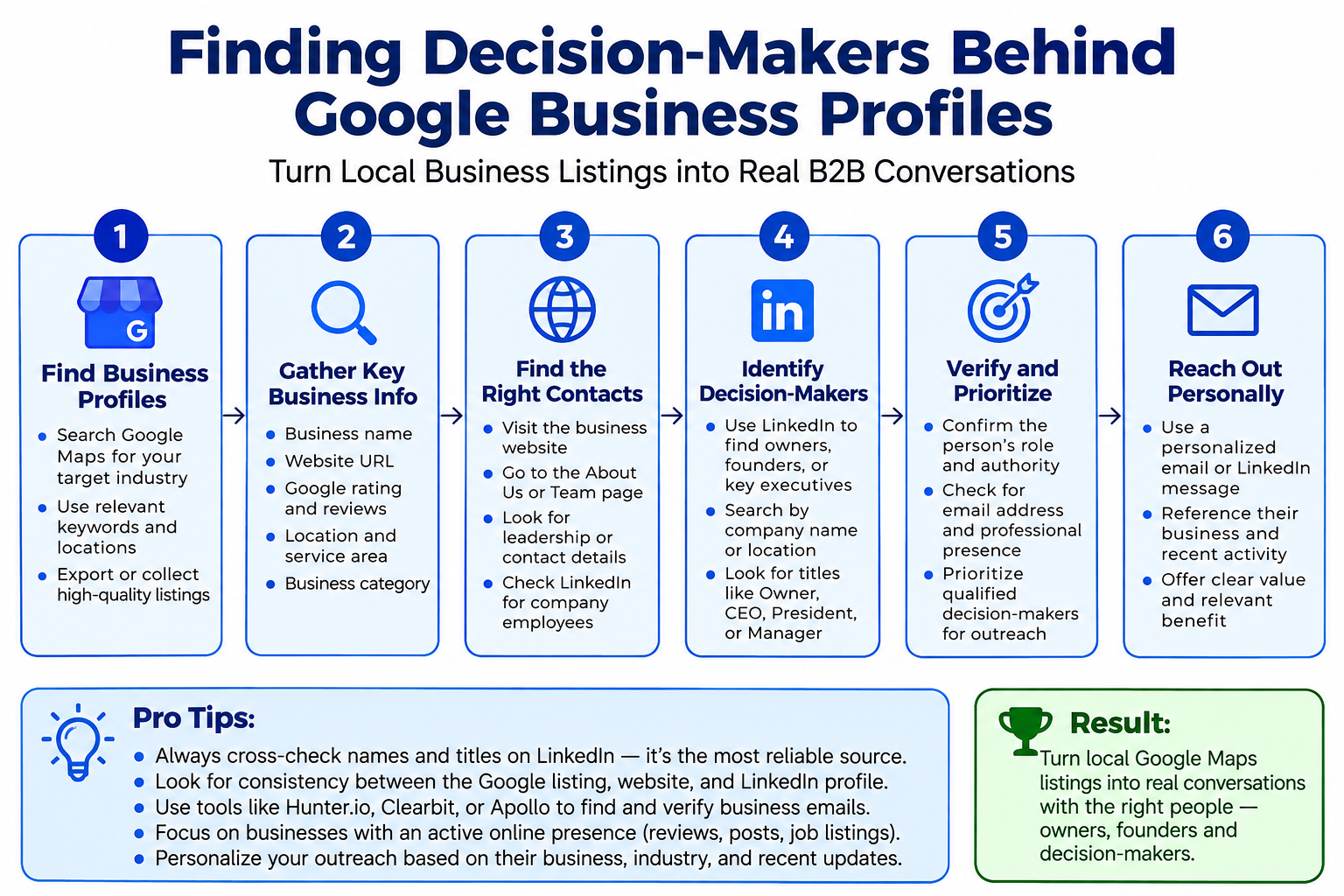
A Google Maps listing tells you a business exists. It rarely tells you who runs it. Finding the decision-maker is a separate, critical step.
Tactics for identifying decision-makers:
1. Website About or Team page
Most small businesses list the owner, founder, or practice manager on their website. Look for job titles like Owner, President, CEO, Office Manager, or Practice Administrator.
2. LinkedIn search
Search the business name on LinkedIn. Filter by "Current company." Owner-operated businesses often have the founder as the only employee listed. Larger businesses show department heads you can target by function.
3. Chamber of Commerce and business directories
Many US-based small businesses are listed in local Chamber directories, BBB profiles, or industry association registries with named contacts.
4. WHOIS lookup
For businesses with owner-registered domains, the WHOIS record sometimes lists the registrant's name and email. Use a tool like WHOIS Lookup or DomainTools.
5. Review responses
Business owners frequently respond to Google reviews in the first person. The name used in responses is often the owner or manager's actual name.
6. Google Business Profile "Questions & Answers"
Owners often answer public questions on their own profile. The account name attached to their response can link to a public Google profile.
10. Exporting Business Data and Collecting Contact Details
Once you've identified target businesses and assessed lead quality, you need a structured export. Manual export from Google Maps is possible but slow. Automated export is faster and more consistent.
What to collect at the extraction stage:
Tools like Leads Sniper's Google Maps Email Extractor automate the website crawl and email discovery stages, pulling contact details from associated business sites without manual clicking.
11. The Lead Verification Workflow
Raw extracted data is not outreach-ready. Email addresses bounce, phone numbers disconnect, and businesses close. Sending to an unverified list damages your sender reputation and wastes sequencing capacity.
Email verification workflow:
- Syntax check - Remove addresses with obvious formatting errors (
user@domainwithout TLD, double @ symbols) - Domain validation - Confirm the domain exists and has active MX records (this catches defunct businesses before you even send)
- Mailbox verification - Use an email verification tool (ZeroBounce, NeverBounce, or Kickbox) to confirm the mailbox is active without sending a message
- Catch-all detection - Flag domains that accept all email (catch-alls) as "risky" rather than "valid"; they won't hard bounce but may never be read
- Disposable address filter - Remove temporary or role-based addresses (info@, contact@, support@) unless you have no better alternative
- Deduplication - Remove duplicate entries by domain and by business name
Acceptable send threshold: Aim for a list with less than 5% invalid addresses before beginning outreach. Most email verification tools provide a risk score that makes this easy to filter.
Phone verification:
For sequences that include phone follow-up, run numbers through a carrier lookup (Twilio Lookup or similar) to confirm active lines and identify mobile vs. landline, which is relevant for TCPA compliance.
12. Data Enrichment Workflow
Verification confirms your data is accurate. Enrichment makes it actionable. The goal is to add context that personalizes outreach and improves qualification.
Enrichment data points worth adding:
Not every field requires a paid data tool. Many enrichment signals are available from the business's own website, LinkedIn profile, or public review history. Start with what's free; invest in data enrichment tools when volume justifies it.
13. Lead Qualification Checklist
Before a lead moves to active outreach, run it through this checklist. Mark each item as ✅ confirmed, ⚠️ unclear, or ❌ disqualified.
Google Maps Lead Qualification Checklist
- Business is actively operating (verified via reviews in last 90 days)
- Website is live and functional
- Business falls within your defined ICP category
- Business is in your target geographic territory
- Estimated employee count is within your deal size range
- Decision-maker name and contact method identified
- Email address verified (not catch-all, not role-based)
- No existing CRM record for this business (deduplication check)
- Compliance check passed (no DNC registry flag for phone outreach)
- No obvious competitor relationship (check website for vendor logos)
A lead that passes 9-10 items moves to active outreach. A lead with 6-8 confirmed items moves to a nurture segment. Below 6, discard or flag for later review.
14. Business Scoring Model and Prospect Prioritization Framework
Qualification confirms a lead is viable. Scoring determines how much attention it deserves. This model assigns point values to key signals so you can rank and prioritize your list before outreach begins.
Google Maps Lead Scoring Model (100-point scale)
Score interpretation:
- 80-100: Tier 1 - Prioritize for immediate, personalized outreach
- 60-79: Tier 2 - Include in sequence with moderate personalization
- 40-59: Tier 3 - Batch outreach or nurture campaign
- Below 40: Deprioritize or discard
15. Segmenting Prospects and CRM Preparation Workflow
A single undifferentiated list leads to generic outreach. Segmentation allows you to tailor messaging by industry, location, size, and intent signal, and to track performance by segment.
Recommended segmentation dimensions:
- Business category (roofing, dental, legal, HVAC) - determines messaging angle
- Geographic region (city, state, DMA) - enables local personalization
- Lead score tier (Tier 1/2/3) - determines outreach priority and sequence type
- Contact data quality (direct email vs. catch-all vs. phone only) - determines outreach channel
- Pain point signal (slow website, few reviews, missing profile info) - determines hook
CRM preparation steps:
- Map your CSV columns to CRM field names before import
- Create custom fields for: Google Maps rating, review count, lead score, and segment tag
- Assign lead source as "Google Maps" for attribution tracking
- Set sequence enrollment rules based on lead score tier
- Assign territory or ownership rules to prevent rep overlap
- Create a "Google Maps - Uncontacted" view for baseline tracking
16. Outreach Readiness Checklist
Before a single email goes out, confirm these elements are in place:
Sender infrastructure
- Sending domain is warmed (minimum 4 weeks of gradual volume)
- SPF, DKIM, and DMARC records are configured correctly
- Sending from a subdomain (not your primary domain) for cold outreach
- Unsubscribe link is present in every email (CAN-SPAM requirement)
Sequence setup
- First email is under 150 words
- Subject line is specific to the segment (not generic)
- Personalization variables (first name, business name, city) are tested
- Follow-up steps are spaced at least 3-4 business days apart
- Sequence has a defined exit condition (reply, click, 5 no-responses)
List readiness
- Email verification completed (less than 5% invalid)
- Duplicates removed
- Catch-all addresses flagged and throttled
- CRM records created and sequence enrolled
17. Common Google Maps Outreach Mistakes (and How to Avoid Them)
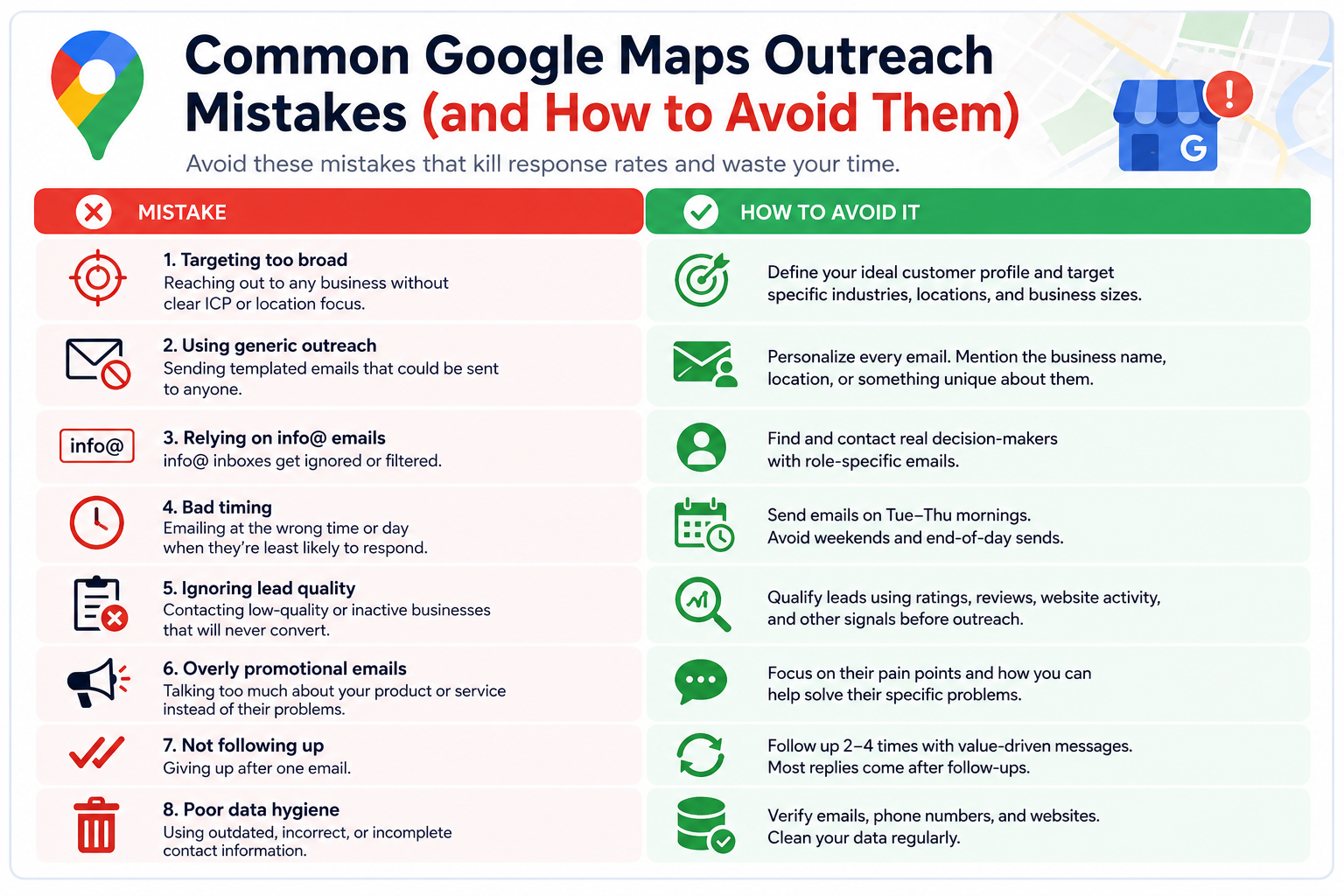
Mistake 1: Emailing info@ addresses exclusively
Generic role-based addresses are read by whoever manages the inbox that day, often not the decision-maker. Treat info@ as a last resort, not a primary contact.
Mistake 2: Sending the same email to every segment
A roofer in Dallas and a dentist in Chicago have completely different problems. Sending the same template to both signals that you haven't done any research.
Mistake 3: Leading with your product
The first email's job is to earn a reply, not close a deal. Lead with a specific observation about their business, then ask a question. Save the product pitch for the follow-up.
Mistake 4: High sending volume before list verification
Sending 1,000 emails to an unverified list can tank your domain reputation permanently. Verify first, send second, every time.
Mistake 5: No follow-up sequence
The majority of cold email responses come from follow-up emails, not the first touch. A single email is not a campaign.
Mistake 6: Ignoring review signals as personalization
If a prospect has 50 reviews mentioning "fast response time," that's a differentiator they're proud of. Referencing it in an email shows genuine attention.
Mistake 7: Contacting businesses outside your service capacity
High lead volume means nothing if you can't fulfill for the clients you close. Qualify for fit before adding to outreach sequences.
18. Why Some Google Maps Leads Never Convert
Volume solves some problems. It doesn't solve misalignment. Here are the structural reasons Google Maps leads fail to convert, and what to do about each.
Wrong decision-maker targeted
You emailed the office administrator, not the owner. Fix: Invest in decision-maker identification before outreach begins.
Lead was never a real fit
The business appeared in your search but doesn't match your ICP on closer review. Fix: Add the qualification checklist before any lead enters a sequence.
Timing was off
The business owner just signed a contract with a competitor or is mid-acquisition. Fix: Build a re-engagement cadence at 90-day intervals for Tier 1 leads who didn't respond.
Outreach wasn't specific enough
Generic copy gets deleted. Fix: Use the pain point signals identified during enrichment to personalize the first line of every email.
Email never reached the inbox
Deliverability issues blocked the send. Fix: Run sender infrastructure checks before launching any campaign.
19. Compliance and Ethical Considerations (US Legal Framework)
Google Maps data is publicly available, but how you use it carries legal responsibility.
CAN-SPAM Act
All commercial email sent to US-based businesses must comply with CAN-SPAM. Requirements include:
- A clear, non-deceptive subject line
- Accurate sender information (no spoofed "From" addresses)
- A physical mailing address in the email
- A functional unsubscribe mechanism honored within 10 business days
CAN-SPAM applies to B2B email. It does not require opt-in, but it does require opt-out compliance.
TCPA (Telephone Consumer Protection Act)
Phone and SMS outreach to mobile numbers requires prior express consent in most cases. If your outreach sequence includes SMS or auto-dialed calls, consult a compliance attorney before launch. Cold calls to landlines in a business context carry different rules than mobile outreach.
Data usage and storage
Scraping publicly available data from Google Maps is generally permissible under US law (consistent with the HiQ Labs v. LinkedIn Ninth Circuit ruling), but storing and processing that data responsibly, with clear data retention policies, reduces legal and reputational risk.
Ethical standards
Comply with suppression lists (prior opt-outs, competitors, personal contacts). Don't misrepresent your identity or affiliation. Respect replies that decline contact, even without a formal unsubscribe.
20. Follow-Up Preparation Checklist
Most leads won't respond to your first email. Here's how to prepare for follow-up before the sequence even launches:
- Follow-up emails are written before Sequence 1 sends
- Each follow-up adds new value (a relevant case study, a specific question, a different angle) rather than simply bumping the original message
- A "breakup" email is the final step in the sequence, explicitly giving the prospect an easy way to opt out or express disinterest
- Replies are routed to a monitored inbox, not a no-reply address
- Positive replies have a defined next step (calendar link, discovery call script)
- "Not now" replies are tagged in CRM for re-engagement at 90 days
- Sequence performance (open rate, reply rate, bounce rate) is tracked by segment
Building a System, Not Just a List
Google Maps is not a shortcut. It's a starting point. The businesses that appear in your search results are real companies, run by real people who receive dozens of prospecting messages every week. The ones that convert are the ones approached with specificity, relevance, and professional follow-through.
The workflow laid out in this guide, from search and extraction through scoring, enrichment, verification, and outreach, is designed to produce exactly that. A smaller, better-qualified list consistently outperforms a large, unfiltered one.
Start with a single city and a single business category. Run through the qualification checklist. Score and segment your results. Build your sender infrastructure before you launch. Then measure what works and expand.
For teams looking to compress the list-building phase, Leads Sniper's Google Maps Scraper and Google Maps Data Export tools automate extraction and email discovery at scale, so your team can spend its time on qualification and outreach, not copy-pasting data from browser tabs.
The methodology is here. The next step is execution.
Frequently Asked Questions
Is it legal to scrape Google Maps for B2B leads in the US?
Scraping publicly available data from Google Maps is generally permissible under US law. The 2022 Ninth Circuit ruling in HiQ Labs v. LinkedIn affirmed that scraping publicly accessible data does not violate the Computer Fraud and Abuse Act.
However, you remain responsible for how you store and use that data, and outreach must comply with CAN-SPAM for email and TCPA for phone and SMS.
What is the best way to find email addresses from Google Maps listings?
Google Maps listings rarely include email addresses directly. The most reliable method is to visit each business's linked website and check the Contact or About page.
At scale, tools like Leads Sniper's Google Maps Email Extractor automate this by crawling business websites and extracting contact details in bulk.
How many leads can I realistically generate from Google Maps per day?
Manually, expect 20-60 qualified leads per hour depending on how thoroughly you evaluate each listing. With automated extraction tools, the same workflow can produce hundreds to thousands of raw leads per session, though qualification and verification still require time investment.
How do I find the decision-maker for a Google Maps business listing?
Start with the business website's About or Team page. Then search the business name on LinkedIn and filter by current employees. Review responses on Google Maps often reveal the owner's name. WHOIS records for owner-registered domains sometimes include registrant contact details.
What's a good open rate to expect for cold email outreach to Google Maps leads?
Open rates for cold B2B email campaigns typically range from 30% to 50% for well-targeted lists with strong subject lines, according to benchmarks from email platforms like Mailchimp and Woodpecker. Verified, segmented lists consistently outperform broad, unfiltered exports.
How do I avoid spam filters when emailing Google Maps leads?
Warm your sending domain for at least four weeks before launching campaigns. Use a subdomain for cold outreach rather than your primary business domain. Authenticate your emails with SPF, DKIM, and DMARC records.
Keep bounce rates below 2% by verifying your list before sending. Include a physical mailing address and a working unsubscribe link in every email.
Can I use Google Maps leads for industries like healthcare and finance?
Yes, but with additional caution. Healthcare-adjacent outreach (e.g., selling software to dental offices) is B2B and falls under CAN-SPAM, not HIPAA, as long as you're not handling patient data.
Financial services outreach may be subject to state-level regulations. For both industries, consult a compliance attorney before launching phone or SMS campaigns.
What's the difference between a Google Maps scraper and a B2B database like ZoomInfo?
A Google Maps scraper pulls live, real-time data directly from business listings, meaning the information reflects current status. B2B databases like ZoomInfo compile and maintain records internally, which can introduce data lag.
Google Maps data is better for local and SMB targeting; ZoomInfo and similar tools are stronger for enterprise accounts and named contact coverage.