To win local search or fill your pipeline with better prospects, you need reliable local data. Google Maps scraping for local SEO gives agencies, freelancers, and growth marketers a faster way to find opportunities, analyze markets, and scale smarter.
Manual copy-paste is too slow for serious local SEO. With the right automation, agencies can extract thousands of business details in minutes, then use that data to build citations, study competitors, and launch sharper outreach campaigns.
In this guide, we will break down the exact strategies, workflows, and tools you need to leverage Google Maps scraping effectively. By the end, you will know exactly how to turn raw map data into actionable SEO strategies and a predictable pipeline of local SEO lead generation.
Here’s the simple workflow I’d use:
1) choose one service category and city.
2) scrape Google Maps data for the top local businesses.
3) export names, phone numbers, websites, ratings, reviews, categories, and Google Business Profile details.
4) clean and segment the list by opportunity, such as low review count, missing website, weak rating, or unclaimed profile. and
5) turn those insights into action citation fixes, competitor analysis, outreach lists, GBP optimization, or a focused local SEO campaign.
Quick Workflow: Turn Google Maps Data Into Local SEO Wins
Quick Wins: Start small with one niche and one city, such as “dentists in Phoenix,” then scrape the Google Maps results and sort the data by review count, rating, missing website, and unclaimed Google Business Profile status. Look for easy opportunities first: businesses with weak reviews, incomplete profiles, inconsistent NAP details, or no website. These are perfect targets for local SEO outreach, citation cleanup, competitor analysis, and fast campaign planning!
What Is Google Maps Scraping?
Google Maps scraping is the automated process of extracting structured data from Google Maps listings. Instead of manually clicking on individual pins and copying business details, you use a software tool a Google Maps scraper to programmatically pull this information at scale.
When you scrape Google Maps data, you can typically extract:
- Business name
- Full address (Street, City, Zip)
- Phone numbers
- Website URLs
- Email addresses (when available via connected websites)
- Social media profiles (Facebook, Instagram, LinkedIn, etc.)
- Average ratings and review counts
- Operating hours
- Business categories and service options
- Claimed vs. unclaimed status
This process turns a visual map into a highly organized, easily filterable database (usually a CSV or Excel file).
Why Google Maps Data Matters for Local SEO
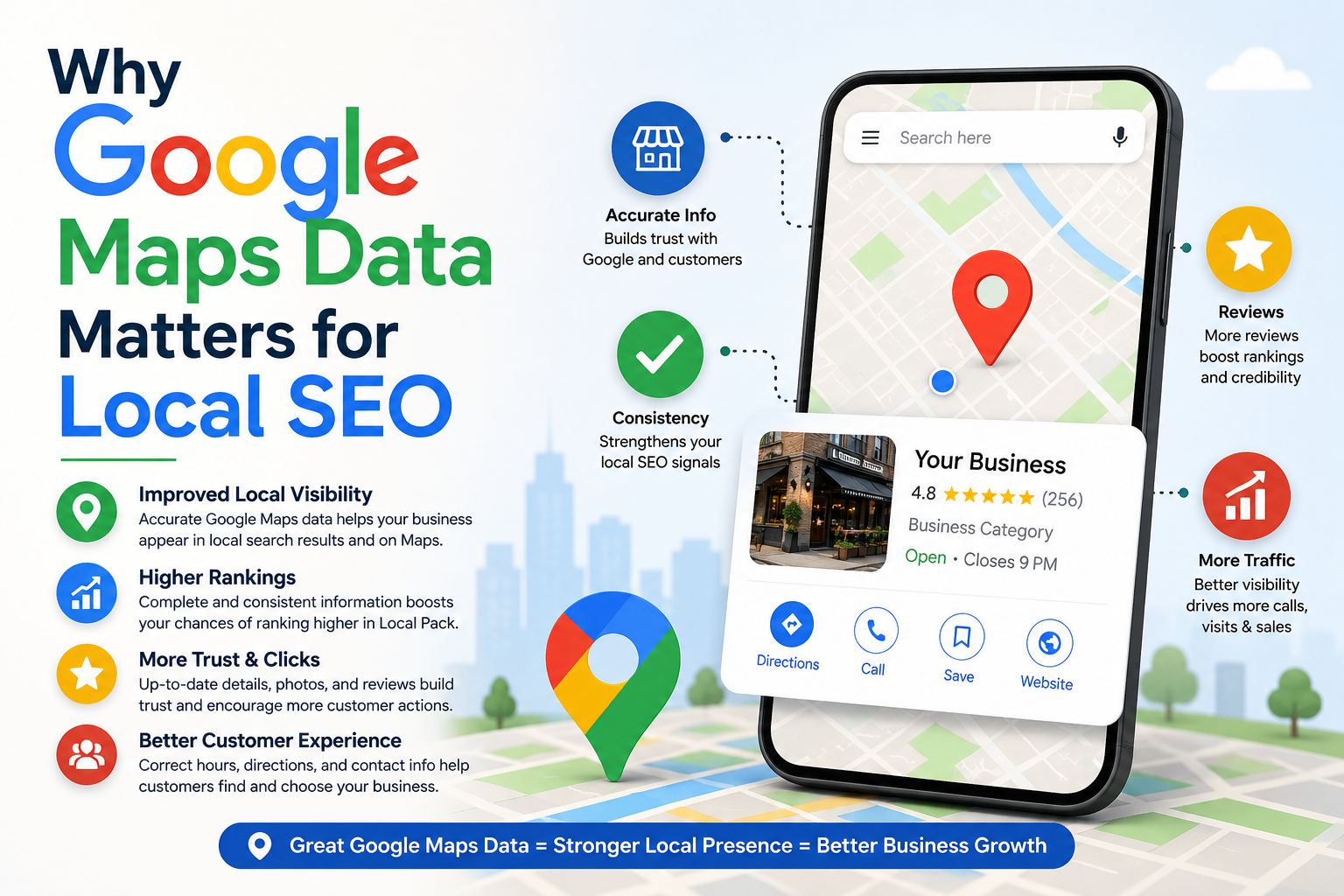
Local SEO is fundamentally driven by data consistency, topical relevance, and localized authority. To rank a client in the coveted Google Local Pack, you need to understand exactly what the top-ranking competitors are doing.
Google Maps is the single source of truth for local business data. It contains real-time updates on how businesses categorize themselves, the volume of reviews they generate, and how their Name, Address, and Phone Number (NAP) information is formatted.
Without this data, you are flying blind. When you leverage Google business profile scraping, you gain a massive competitive advantage. You can instantly audit a market, see which businesses are neglecting their profiles, and identify exactly what it takes to outrank them.
Benefits of Google Maps Scraping
Automating your local business data extraction offers massive benefits for your agency or marketing team:
- Massive Time Savings: What used to take hours of manual data entry now takes minutes. You can focus your energy on strategy rather than copy-pasting.
- Data Accuracy at Scale: Automated tools eliminate human error, ensuring your NAP data and contact lists are perfectly formatted.
- Targeted Prospecting: You can filter businesses by review count, claimed status, or category to find the perfect leads for your services.
- Comprehensive Market Insights: Analyze entire zip codes or cities instantly to understand the competitive landscape.
Best Use Cases for Agencies and Marketers
How are top-tier growth hackers and local SEO agencies using this data? Here is a breakdown of the most profitable use cases:
1. Local SEO Lead Generation
Find businesses with low reviews, poorly optimized profiles, or missing websites. These are your ideal prospects. You can extract their contact info and pitch them a highly customized local SEO package.
2. Deep Competitor Analysis
Scrape the top 20 ranking businesses for your target keyword. Analyze their categories, review velocity, and descriptions to reverse-engineer their success.
3. Citation Building and Auditing
Extract the exact NAP format of a client to ensure consistency across hundreds of directory listings. You can also scrape competitors to see where they are listed.
4. B2B Cold Outreach
Lead generation agencies use Google Maps leads to build hyper-targeted cold email or cold calling lists based on specific niches and geographic locations.
How to Scrape Google Maps Data
Scraping Google Maps data is surprisingly straightforward when you have the right workflow in place. Here is a standard step-by-step process you can implement today:
- Define Your Target: Identify the specific keyword (e.g., "plumbers") and the exact location (e.g., "Austin, TX").
- Select Your Tool: Choose a reliable Google Maps data scraper (more on this in the next section).
- Set Your Parameters: Input your search query into the software. Some advanced tools allow you to use radius targeting or bulk keyword uploads.
- Run the Extraction: Initiate the scraper. The tool will simulate browsing Google Maps, pagination through the results, and extracting the available data fields.
- Export and Clean: Once the run is complete, export the data to a CSV or Excel file. Clean the data by removing duplicates or formatting the phone numbers for your CRM.
Best Google Maps Scraper Tools
The market is flooded with tools promising local business data extraction, but they are not all created equal. You need a tool that is fast, reliable, and capable of exporting comprehensive datasets.
Leads Sniper
When it comes to local SEO automation and extracting deep contact information, Leads Sniper is a powerful solution. Operating as a lightweight browser extension, it allows you to scrape Google Maps and extract business names, phone numbers, emails (when accessible via the connected website), addresses, ratings, reviews, and social profiles.
Because it doesn't require complex coding or API setups, it fits seamlessly into a non-technical workflow. You simply run a search on Google Maps, activate the extension, and export your fresh leads directly to a CSV or Excel file. It’s highly effective for local SEO competitor research, building B2B contact lists, and automating lead generation without dealing with proxies or IP bans.
Pro Tip: Before you upload scraped Google Maps leads using Leads Sniper Google maps scraper into your CRM, segment them by intent signals like low review count, missing website, weak rating, unclaimed profile, or inconsistent NAP details. This turns one big spreadsheet into focused outreach lists, so your pitch feels specific, helpful, and much more likely to get a reply!
Phantombuster
Phantombuster offers cloud-based scraping automations (called "Phantoms"). It is great for chaining different actions together, such as scraping Maps and then automatically finding LinkedIn profiles.
Apify
For the highly technical growth hacker or SaaS founder, Apify provides robust API-driven scrapers. Their Google Maps scraper is incredibly detailed, though it does require a steeper learning curve and a bit of developer knowledge to utilize fully.
How to Use Scraped Data for Local SEO
Gathering the data is only the first step. The real magic happens in how you deploy this information to improve local rankings. Here are the distinct ways to use your scraped lists.
Competitor Analysis Strategy
To rank in the Local Pack, you must understand the mathematical averages of your competitors. When you scrape Google Maps data for a specific keyword in a specific city, you can build a competitive matrix.
By exporting this data, you remove the guesswork from your local SEO campaigns.
Citation Building Strategy
Citations (mentions of your business name, address, and phone number on other websites) are a foundational local SEO ranking factor.
You can use scraped data to streamline your local citation building. First, scrape your client's own listing to ensure you have the absolute canonical version of their NAP data. Next, scrape directory sites (like Yelp or YellowPages) and cross-reference them with your Maps data to spot inconsistencies. Correcting these mismatched citations sends strong trust signals to Google's local algorithm.
[Internal Link Placeholder: Link to "Top 50 Local Citations for US Businesses"]
Lead Generation Workflows
If you run a local SEO lead generation agency, your scraped data is your goldmine. Here is a high-converting workflow:
- The Extraction: Scrape a specific niche in a target city (e.g., "Roofers in Denver").
- The Filter: Open the CSV and filter out businesses with a 4.5+ rating and more than 100 reviews. Focus solely on businesses with ratings under 4.0, or those with less than 20 reviews.
- The Unclaimed Check: Look for listings marked as "unclaimed."
- The Pitch: Reach out to the business owners via email or phone.
Example Pitch: "Hey [Name], I noticed your roofing business is ranking on page 3 of Google Maps, and your profile is currently unclaimed. You are missing out on an estimated 40 leads a month to [Competitor Name]. We help roofers fix this. Are you open to a quick chat?"
Common Mistakes to Avoid
While Google Maps scraping is powerful, many beginners make critical errors that waste time and burn leads.
- Scraping Too Broadly: Don't scrape the entire state of Texas for "contractors." Hyper-niche your searches (e.g., "kitchen remodelers in Plano, TX") to keep your outreach relevant and personalized.
- Ignoring Data Cleaning: Raw CSV files often contain messy formats. Always clean your data in Excel or Google Sheets before uploading it to your CRM or cold email software.
- Pitching Generic Offers: Do not send the exact same email to a 5-star business and a 2-star business. Segment your scraped lists based on their specific pain points.
- Relying Solely on Email: Email extraction is great, but local businesses often respond better to phone calls or direct mail. Use a multi-channel approach.
Legal and Ethical Considerations
When you scrape Google Maps data, it is crucial to remain ethical and compliant. Publicly available data (like a business name and address) is generally legal to scrape in the USA. However, you must adhere to spam laws when reaching out.
Ensure your cold outreach complies with the CAN-SPAM Act:
- Never use deceptive subject lines.
- Always include a clear way for the recipient to opt-out or unsubscribe.
- Include your valid physical postal address in your emails.
- Only reach out with B2B intent (business-to-business marketing).
Always review the terms of service of the scraping tool you choose and act responsibly with the data you extract.
Future of AI + Local SEO Automation
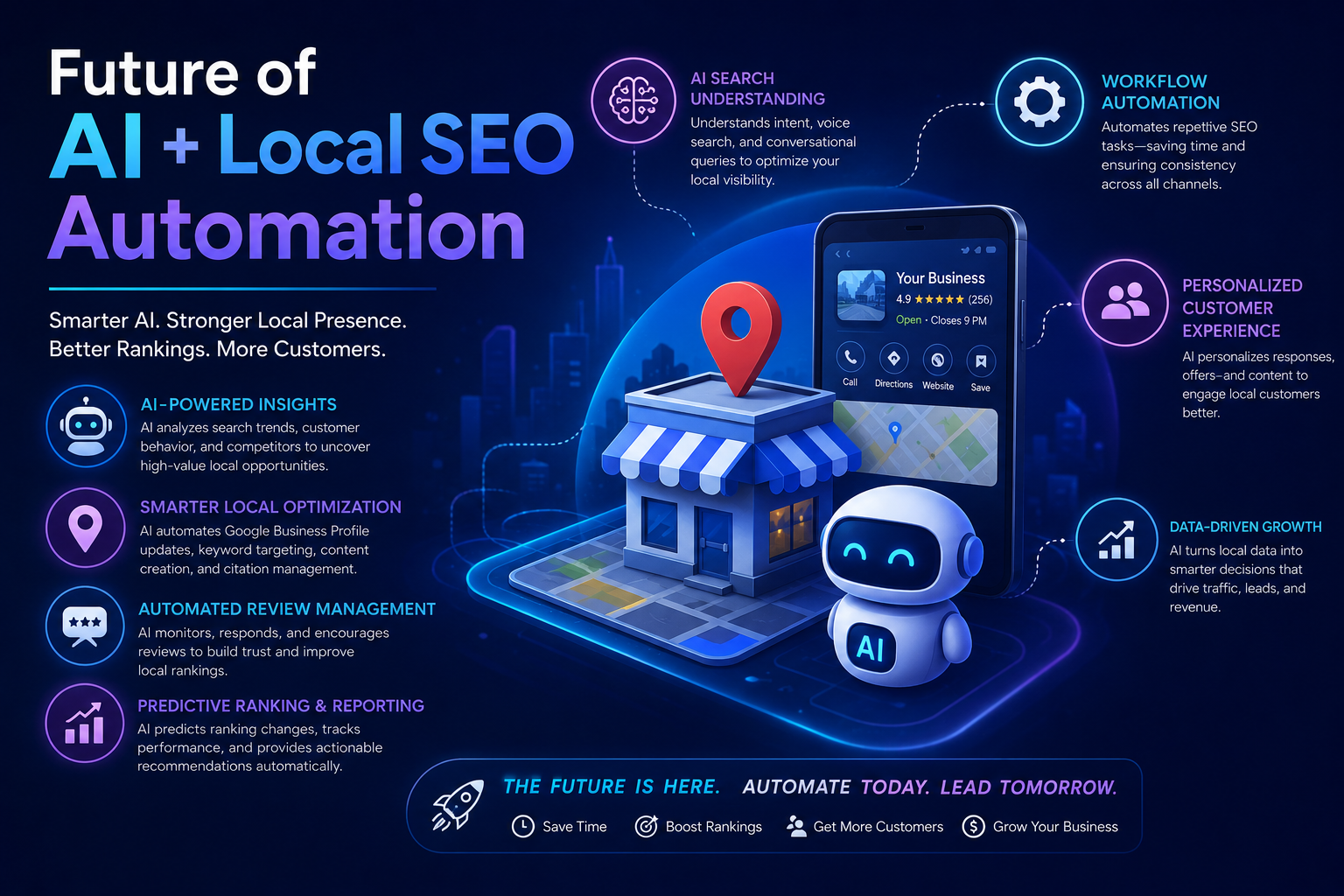
The intersection of artificial intelligence and local SEO automation is rapidly evolving. We are moving beyond simple data extraction.
In the near future, AI will automatically analyze your scraped Google Maps datasets and instantly generate actionable SEO tasks. Imagine a workflow where a scraper pulls competitor data, an AI analyzes the gaps in your client’s profile, and a connected API automatically updates your client's Google Business Profile with optimized descriptions and new secondary categories.
Those who master basic data extraction today will be perfectly positioned to leverage these advanced AI automations tomorrow.
FAQs
Is it legal to scrape Google Maps data?
Yes, scraping publicly available information from the internet, including business names, addresses, and phone numbers from Google Maps, is generally considered legal in the United States. However, how you use that data (e.g., cold emailing) must comply with regulations like the CAN-SPAM Act.
How do I find email addresses from Google Maps?
Google Maps itself does not display email addresses. However, quality scraper tools will extract the business's website URL from the Maps listing, visit that website, and scan it for publicly listed email addresses and social media links.
What is the best way to use scraped data for local SEO?
The best use case is competitor analysis. By scraping the top-ranking businesses for your target keyword, you can analyze their review counts, average ratings, and business categories, allowing you to reverse-engineer their ranking strategy.
Can I automate Google Maps scraping?
Yes. Using browser extensions or cloud-based scrapers, you can fully automate the extraction process, turning hours of manual research into a task that takes just a few clicks.
Conclusion
Leveraging Google Maps scraping for local SEO is no longer just a tactic for advanced tech marketers; it is a fundamental requirement for scaling your agency and delivering rapid results.
By automating your local business data extraction, you free up countless hours to focus on high-level strategy. Whether you are building perfectly optimized local citations, analyzing market gaps, or executing highly targeted lead generation campaigns, scraped maps data gives you the blueprint for success.
Stop wasting time with manual data entry. Choose a reliable scraper, define your target market, and start pulling the data you need to dominate the local search results today.
Choose one target market, run your first automated Google Maps scrape, and turn that data into outreach lists, citation fixes, competitor insights, and faster local SEO wins. Agencies that automate local SEO data collection today will dominate local rankings tomorrow while everyone else is still copying business details by hand.