
TL;DR: A Google Maps scraper for real estate automatically extracts business data names, phone numbers, emails, ratings, and social profiles from Google Maps listings. Real estate professionals use it to build exclusive, location-specific lead lists in minutes, replacing expensive shared-lead platforms and hours of manual research.
The average cost per lead in real estate climbed to roughly $500 in 2026, and portal leads from platforms like Zillow are often sold to three to five agents at once. You compete before you've even made contact.
A Google Maps scraper for real estate flips that math. Instead of paying monthly for shared leads, you pull fresh contact data directly from the largest free B2B database in existence Google Maps hosts over 200 million business listings, updated in real time.
Here's what this guide covers:
- What a Google Maps scraper extracts and how it works
- The real estate businesses worth targeting
- A step-by-step lead generation workflow
- Manual vs. automated comparisons
- Legal guidance and best practices
What Is a Google Maps Scraper for Real Estate?
A Google Maps scraper is a tool that automatically collects publicly available business information from Google Maps listings then exports it to a spreadsheet or CRM. For real estate, it replaces hours of copy-pasting with seconds of automated extraction.
Every business with a Google Business Profile appears on the map, complete with contact details, hours, reviews, and category tags. A scraper reads those listings programmatically and packages them into a clean CSV or Excel file.
Modern tools like Leads Sniper work as browser extensions. You search a keyword on Google Maps, click extract, and the tool handles the rest no code, no proxies, no developer required.
Did You Know? Google Maps processes over 1 billion map views per day. The business data behind those views is one of the largest freely accessible B2B contact databases anywhere.
Why Real Estate Professionals Use Google Maps Data
Traditional lead platforms sell the same contacts to multiple agents. Google Maps data is different.
When you scrape "property management company + Houston," you build an exclusive list your competitors likely haven't touched. You're also targeting businesses that are active right now live listing, current phone number, and reviews that reveal exactly what they need help with.
The economics tell the story:
What makes the data uniquely useful for real estate:
- Location precision — target a ZIP code, neighborhood, or metro
- Category filtering — search by exact business type
- Intent signals — ratings and review counts reveal who's struggling or growing
- No gatekeeping — no account or connection request needed
What Types of Real Estate Businesses Can You Find?
The biggest value on Google Maps isn't buyers or sellers it's B2B leads: businesses that need your services or can send you referrals.
Six high-value segments to target:
- Property Management Companies — control hundreds of units; one relationship can drive 10–20 referrals a year. Search: "property management" + [city]
- General Contractors & Builders — every transaction involves repair or renovation. Search: "general contractor" + [city]
- Home Inspectors — they meet buyers and sellers at the exact moment a deal forms. Search: "home inspector" + [city]
- Mortgage Brokers & Lenders — they work with buyers before those buyers find an agent. Search: "mortgage broker" + [city]
- Interior Designers & Stagers — they know who's about to list first. Search: "home staging" + [city]
- Real Estate Agents (Competitor Research) — find low-rated agents losing clients, or top performers for referral partnerships.
Pro Tip: Search a category manually before you scrape. If you see 400+ results in one metro, you have a rich prospect pool—and competitive intelligence worth mapping.
What Data Can You Extract from Google Maps?
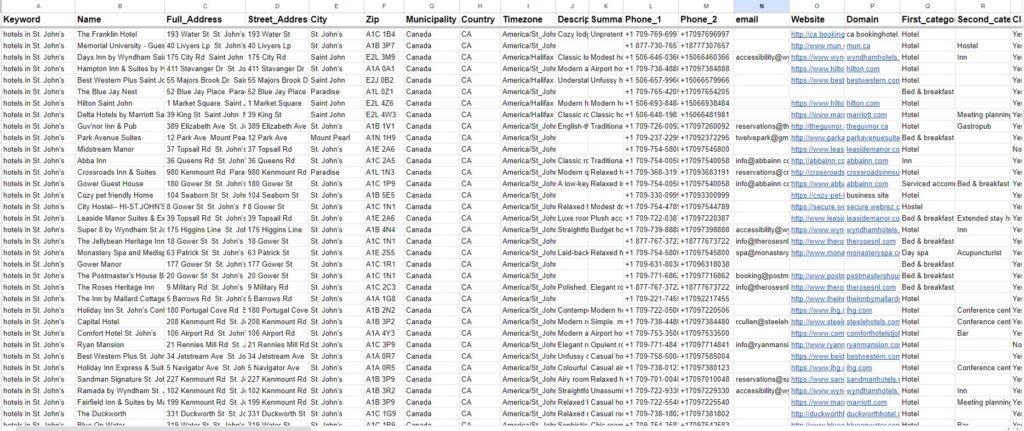
A quality Google Maps scraper for real estate pulls far more than a name and number. Leads Sniper extracts 60+ fields per listing, including:
- Business name, full address, city, ZIP
- Phone numbers (primary + secondary)
- Email address (sourced from the business website)
- Website URL and domain
- Facebook, LinkedIn, Instagram, Twitter, and YouTube URLs
- Star rating and review count
- Business hours, coordinates, and Place ID
The most actionable combination is rating + review count + website presence. A business with a 3.2-star rating, 9 reviews, and no website isn't just a lead—it's a warm one.
How to Generate Real Estate Leads: Step-by-Step
This workflow takes under 15 minutes and produces 200–500 qualified contacts per search.
Step 1: Define Your Target
Choose a specific business type and location. "Property management companies in Austin, TX" beats "real estate" every time.
Step 2: Run the Scrape
Open Google Maps, run your search, and activate your scraper. Leads Sniper exports results to CSV or Excel in one click.
Step 3: Filter by Quality Signals
Prioritize leads that show:
- Rating below 4.0 (receptive to solutions)
- No website (underserved, more responsive)
- Has an email (reachable for cold outreach)
- Under 20 reviews (smaller, more likely to respond personally)
Step 4: Score Your Leads
Build a simple spreadsheet formula. Assign points: low rating (+3), no website (+2), has email (+2), has phone (+1), under 20 reviews (+2). Focus outreach on leads scoring 7+.
Step 5: Personalize Outreach
Reference their real data. Mentioning a prospect's 3.8-star rating or a specific review theme converts far better than a generic cold email.
Best Practice: Don't treat all leads equally. Segment by review count low (0–10), mid (11–50), high (50+) and match the message to each tier.
Manual vs. Automated Scraping: Which Wins?
Manual works for 50 leads or fewer. Python scripts break every time Google updates its page structure. Purpose-built tools like Leads Sniper handle exactly this no setup, no maintenance, no broken code on a Monday morning.
It also requires no VPS or proxy setup, works across any language or location, and offers a free 2-hour trial with no credit card required.
Scraper vs. Google Places API
Common Real Estate Use Cases
- Commercial agents scraping a target district to find expanding tenants or struggling operators
- Real estate photographers pitching agents with weak listing photos
- Property managers finding competitors with low ratings and dissatisfied clients
- Coaches targeting agents with poor reviews who are likely to invest in help
- Home service agencies finding every agent and property manager in their area
Is It Legal to Scrape Google Maps for Real Estate Leads?
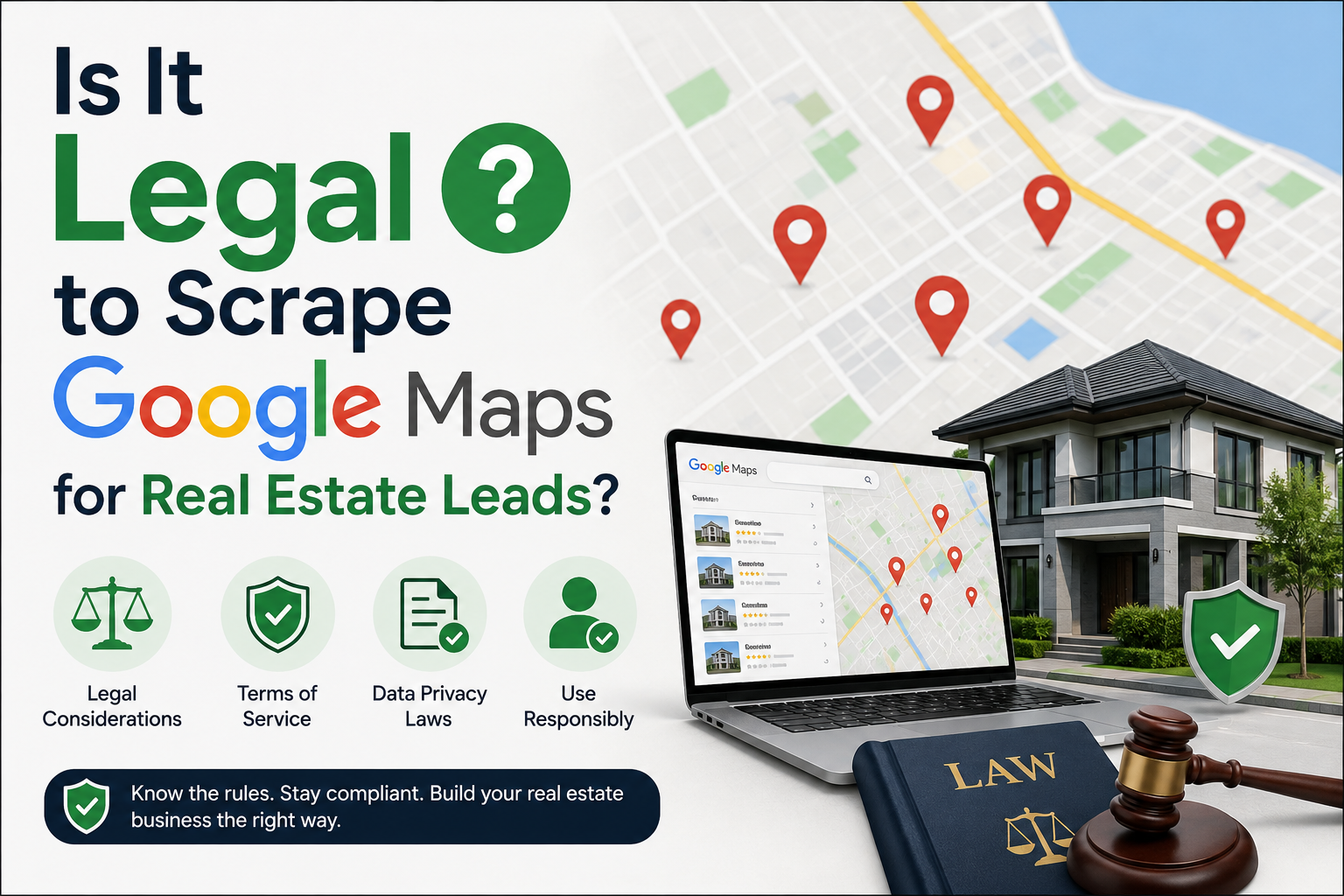
Yes with important nuance.
This section is educational and not legal advice. Consult an attorney before making compliance decisions.
Scraping publicly available business data is generally legal under U.S. law. Key rulings:
- hiQ Labs v. LinkedIn — scraping public data doesn't automatically violate the Computer Fraud and Abuse Act (CFAA)
- Van Buren v. United States — the Supreme Court narrowed the CFAA to target insiders exceeding access, not outsiders viewing public pages
Google's Terms of Service do prohibit scraping, but that's a contract issue not a crime. The realistic consequence is a temporary IP block, not a lawsuit. Risk scales with volume, deliberate circumvention of anti-bot systems, and commercial resale of data.
Stay compliant:
- Scrape while logged out of your Google account
- Use rate limiting
- Target business data only, not personal consumer information
- Include an unsubscribe link in all cold email (required under CAN-SPAM)
- For EU contacts, comply with GDPR
Key Takeaways
- Google Maps hosts 200M+ listings with real-time data across every real estate category
- A scraper extracts 60+ fields per listing phone, email, address, rating, and social profiles
- The best filters combine low rating, missing website, and available email
- Scored, segmented, personalized outreach beats generic blasts every time
- Legal risk scales with volume, circumvention, and commercial resale—not public-data scraping itself
Action Checklist
- Choose 3–5 target business types in your primary market
- Build search queries using specific keywords + city (e.g., "home inspector + Phoenix")
- Extract leads with a no-code tool like Leads Sniper
- Score each lead using the rating/website/review formula
- Personalize outreach using real listing data points
- Import to your CRM and tag by category and intent tier
- Set a monthly reminder to re scrape for new listings
- Comply with CAN-SPAM (US) or GDPR (EU) for all outreach
Start Generating Real Estate Leads from Google Maps
Google Maps is the largest free database of property-related businesses in the U.S. and most of your competitors don't know it exists. The professionals who do are building exclusive lead lists for a fraction of what Zillow charges, growing referral networks with targeted outreach, and never paying for a shared lead again.
Start with one category and one geography. Filter aggressively. Export only the contacts that match your ideal prospect. Then reach out with a message that references something real about their business.
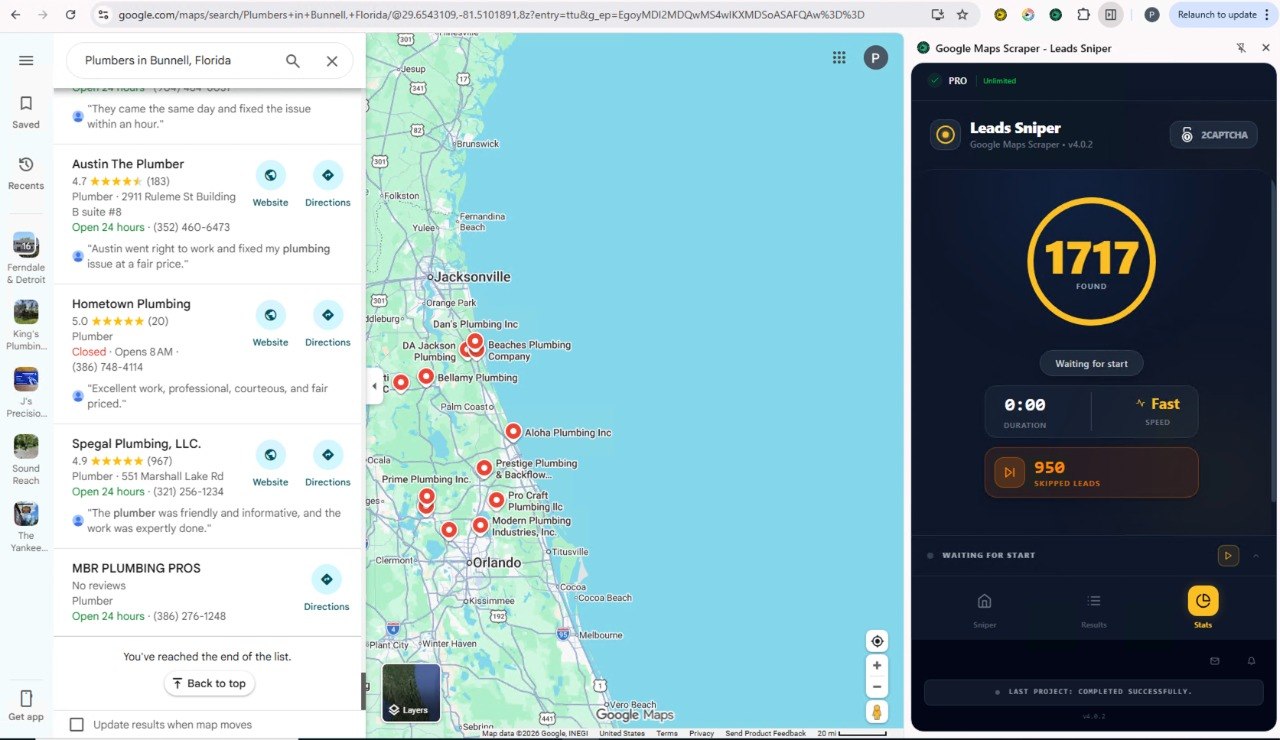
Leads Sniper Google Maps Scraper makes this simple. Install the extension, search your target market, and export a complete lead list with emails, phone numbers, social profiles, and 60+ fields in minutes. No coding. No proxies. No subscription.
Try Leads Sniper free for 2 hours no credit card required.
Frequently Asked Questions
Is it legal to use a Google Maps scraper for real estate lead generation?
Yes, for publicly available business data. Rulings like hiQ v. LinkedIn confirm that scraping public listings doesn't violate the CFAA. Google's Terms of Service prohibit it, but that's a contract issue not a crime. Stay logged out and comply with anti-spam laws during outreach.
What types of real estate leads can I find on Google Maps?
Google Maps is most valuable for B2B real estate leads: property management companies, general contractors, home inspectors, mortgage brokers, interior designers, and competing agents. These businesses list contact information publicly and are reachable via cold email or phone for services and referral partnerships.
How many leads can a Google Maps scraper generate?
A single city search for one business type typically returns 100–500 results. Running five or six searches per market property managers, contractors, inspectors, lenders, stagers yields 1,000–3,000+ leads per city. Most real estate professionals never fully exhaust their local market.
Can a Google Maps scraper extract email addresses?
Emails aren't shown directly on listings. Advanced scrapers like Leads Sniper visit each business's linked website and extract the email there, returning it alongside all other data. If a business has no website or no email listed, no email will be extracted for that record.
How do I qualify Google Maps leads for real estate?
Score each lead: low star rating (+3), no website (+2), has email (+2), has phone (+1), under 20 reviews (+2). Prioritize leads scoring 7 or above. These signals point to businesses that are underserved, reachable, and receptive to partnership or service proposals.
How does Leads Sniper differ from manual research?
Leads Sniper automates extraction of 60+ fields per listing including website-sourced emails and social profiles in minutes. Manual research produces around 10–15 listings per hour and misses most of this data. Leads Sniper requires no coding, no proxies, and no VPS setup.
How do I import scraped data into my CRM?
Most scrapers export CSV or Excel files that import directly into CRMs like Salesforce, HubSpot, Follow Up Boss, and Pipedrive. Map the column headers name, phone, email, address to your CRM fields during import, then tag by category, geography, and intent tier for clean segmentation.
How often should I scrape Google Maps for new leads?
Monthly is ideal. New businesses appear regularly and contact details change often. Set a recurring reminder to re-run your standard searches and compare results against your existing database new entries are your freshest, most exclusive leads.