If you run a small business in the USA, finding good leads can feel slow, expensive, and a little messy. You need local businesses, phone numbers, websites, reviews, and categories fast, but copying data from Google Maps by hand takes forever. That is where a Google Maps scraper comes in.
A Google Maps scraper is a tool that collects public business data from Google Maps and organizes it into a usable list. Instead of opening one listing at a time, you can export many results at once into a spreadsheet or database. That makes it useful for lead generation, local prospecting, agency outreach, market research, and local SEO work.
For small businesses in the USA, this matters a lot. Local service companies, marketing agencies, SaaS teams, freelancers, and B2B sales reps often need targeted lead lists by city, ZIP code, or niche. A solid local prospecting tool can help you build those lists much faster. Even better, some tools offer a free plan, free tier, or free trial, so you can test them before paying.
In this guide, you will learn what “free” really means, which tools are worth trying in 2026, how to run a scrape, what limits to expect, and why Leads Sniper stands out for small businesses that want a no-code option with a generous trial.
What Is a Free Google Maps Scraper, Really?
“Free” sounds simple, but it usually is not. This is one of the biggest points of confusion when comparing tools.
Truly free tools
Some tools are free to use with no payment required. These are often browser extensions or open-source projects. They can be useful for small jobs, testing, or one-off exports. The tradeoff is that they usually have stricter limits, fewer fields, and less support.
Examples include:
- Basic browser extensions
- Open-source scripts on GitHub
- Simple page scraping tools
Free tiers
A free tier gives you limited usage every month or up to a certain number of records. This is great if your lead generation needs are small. It is less useful if you need larger lead lists or advanced data fields like email enrichment.
Free trials
A free trial gives you access to premium features for a short time. This is often better than a tiny free tier because you can test the full workflow, export options, and scraping quality before deciding.
This is where Leads Sniper has a strong advantage. Its 2-hour free trial gives you access to the real product experience, not just a stripped-down sample.
Open-source tools
Open-source Google Maps scrapers can be powerful, but they are usually best for developers. You may need to manage proxies, rate limits, browser automation, and updates yourself. For most small businesses in the USA, that is more work than it is worth.
Why Google Maps Scraping Matters for Small Business Leads
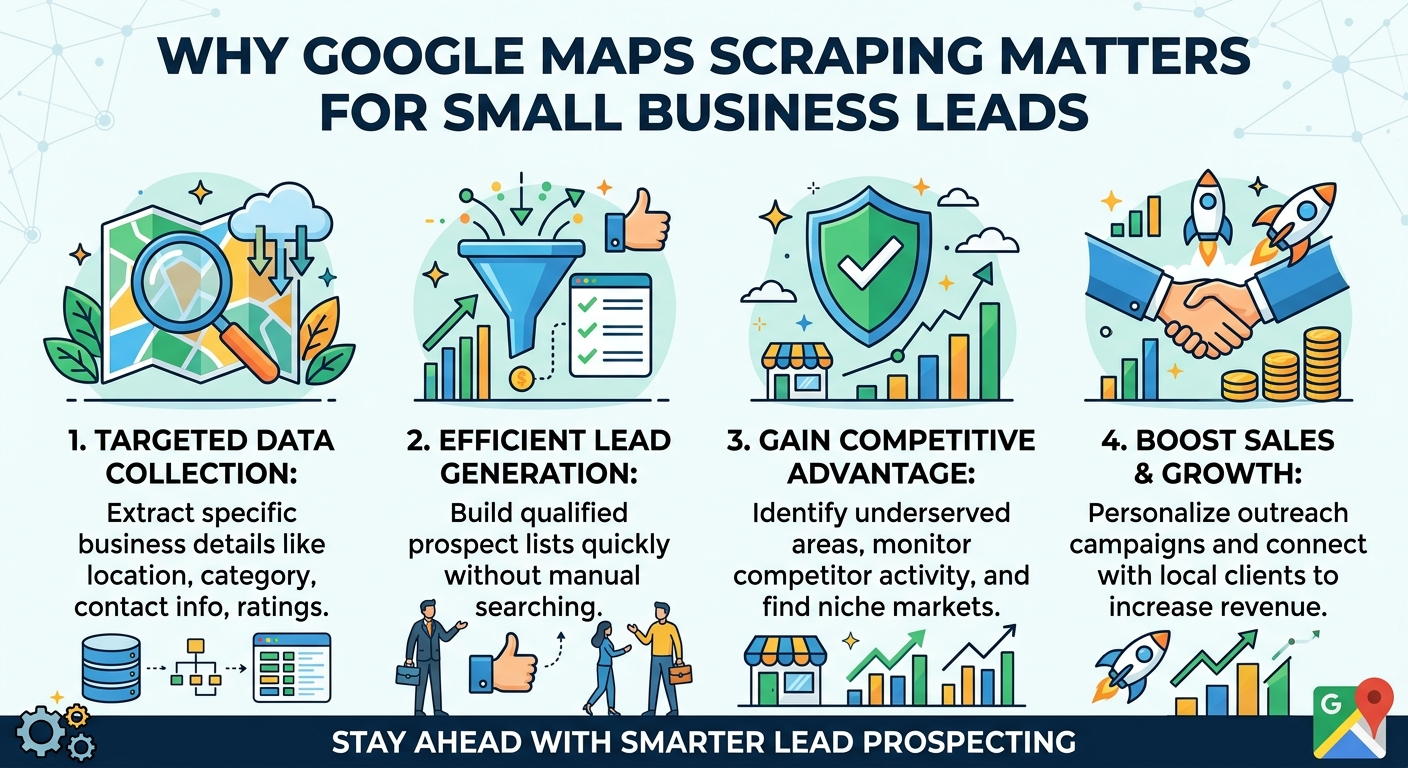
Google Maps contains a huge amount of public local business data. When you use the right scraper, you can turn that raw information into a practical lead list.
What data can you collect?
Most Google Maps scraper tools can collect:
- Business names
- Phone numbers
- Full addresses
- Websites
- Categories
- Ratings
- Review counts
- Opening hours
- Place IDs
- Coordinates
- Social links in some cases
Some tools also offer enrichment features that can help find:
- Emails from company websites
- Extra phone numbers
- Social profiles
- Domain data
Why this data is useful
This data helps small businesses in several ways:
Sales prospecting
You can build targeted lists like:
- Dentists in Dallas
- Roofers in Miami
- Restaurants in Chicago
- Attorneys in Phoenix
That makes outreach much faster and more relevant.
Local SEO and competitor research
You can compare review counts, star ratings, categories, and business visibility across cities or niches.
Agency lead generation
Marketing agencies often use Google Maps lead export workflows to find local businesses that may need SEO, paid ads, web design, or reputation management.
CRM and outreach workflows
Once you have a CSV export, you can clean the file and import it into HubSpot, Pipedrive, or another CRM.
Top Free Google Maps Scraper Tools in 2026
Not every tool is built for the same user. Some are best for no-code users. Others are better for developers or small one-off exports.
Quick comparison table
Leads Sniper
If you want a practical recommendation for small business use, Leads Sniper is the strongest pick on this list.
Why Leads Sniper stands out
Leads Sniper is built for users who want results without a technical setup. It is a no-code local prospecting tool designed to help you collect and export local business leads quickly. For small businesses in the USA, that matters a lot. You do not want to spend hours configuring APIs or troubleshooting browser scripts.
Key features
- No-code workflow
- Google Maps lead extraction
- Rich business data
- Export to CSV, Excel, or JSON
- Helpful for local business leads extraction
- Good fit for agencies, freelancers, and SMB teams
Limitations
- The free access is a 2-hour free trial, not an unlimited free plan
- Advanced use still depends on your campaign size and data needs
Best use case
Leads Sniper is best for small businesses and marketers who want to test a serious tool, export clean lead lists, and move fast.
Outscraper
Outscraper remains a popular option because it offers a free tier and cloud-based scraping.
Key features
- Export to CSV, Excel, and JSON
- Large field coverage
- Cloud scraping
- Can enrich results with emails and contacts
- Bulk search support
Limitations
- Free usage is capped
- Some enrichment features are not fully free
- Larger jobs become paid quickly
Best use case
Good for users who want broad field coverage and do not mind platform-based pricing after the free limit.
Apify
Apify is a strong option for users who need scale and automation.
Key features
- Cloud scraping
- API access
- Good for large workflows
- Multiple export options
- Flexible setup for advanced users
Limitations
- More technical than most no-code tools
- Best results often require some configuration
- Less beginner-friendly for small business owners
Best use case
Best for developers, growth teams, or businesses that want to automate recurring Google Maps lead export jobs.
Chat4Data
Chat4Data is known for simple browser-based extraction with an easy interface.
Key features
- Beginner-friendly
- Fast setup
- CSV and Excel export
- Good for quick lead grabs
Limitations
- Browser-based limits
- Better for smaller tasks
- Less ideal for heavy multi-city jobs
Best use case
Good for non-technical users who want a fast way to collect smaller lead sets.
Instant Data Scraper
Instant Data Scraper is one of the closest things to a truly free option.
Key features
- Free to use
- Chrome extension
- Helpful for simple scraping
- Fast for visible page data
Limitations
- Limited field depth
- Often requires more manual work
- Not built for full-scale Google Maps campaigns
- No native email extraction
Best use case
Best for testing, very small jobs, and users who want a free scraper comparison point before moving to a stronger tool.
How to Use a Free Google Maps Scraper Step by Step

Running your first scrape is easier than it sounds. Here is a simple workflow you can follow.
1. Pick your target query
Start with a clear search like:
- Plumbers in Austin, TX
- Dentists in Brooklyn, NY
- Realtors in Tampa, FL
The more specific your search, the cleaner your results usually are.
2. Choose your scraper
If you want a no-code trial with stronger output, use Leads Sniper.
If you want a free tier cloud tool, try Outscraper.
If you want a basic browser extension, try Instant Data Scraper or Chat4Data.
3. Run the search
Open Google Maps or use the tool’s input method. Enter your niche and city.
4. Select data fields
Choose the fields you want, such as:
- Name
- Phone
- Website
- Address
- Category
- Reviews
- Rating
5. Start scraping
Launch the job and let the tool collect visible business listings. Some tools scroll automatically. Others rely on cloud processing.
6. Export the results
Download your lead list in a usable format such as:
- CSV export
- Excel
- JSON
For most small business outreach workflows, CSV export is the easiest option.
7. Clean your file
Before importing into a CRM:
- Remove duplicates
- Standardize phone numbers
- Check missing websites
- Filter by category or city
- Tag high-value leads
8. Import into your workflow
Upload the cleaned data into:
- Google Sheets
- Excel
- HubSpot
- Pipedrive
- Salesforce
- Email outreach tools
Limitations of Free Tools
Free tools are useful, but they come with real limits. It is better to know them upfront than be surprised later.
Common free-tool caps
- Limited rows or records
- Fewer export fields
- Restricted email extraction
- Slower scraping
- Manual pagination
- No proxy support
- Fewer automation options
- Trial expiration
- API restrictions
What this means in practice
A free tool may work well for 20 to 200 businesses. If you want thousands of records across many US cities, you will usually need a paid plan or a better free trial.
This is why a full-featured trial can be more useful than a tiny free plan. You get a better sense of real performance.
Legal and Compliance Tips
Let’s keep this simple. Scraping public business data is common, but that does not mean you should ignore compliance.
Best practices
- Focus on public business data only
- Avoid scraping personal or sensitive data
- Respect website terms and platform rules
- Do not overload servers with aggressive requests
- Use the data responsibly in outreach
- Follow email marketing laws like CAN-SPAM
Important note
Google Maps has terms that restrict automated access. That is why using scraping tools always carries some platform risk. If compliance matters for your use case, talk to legal counsel and keep your process measured and ethical.
Why We Recommend Leads Sniper
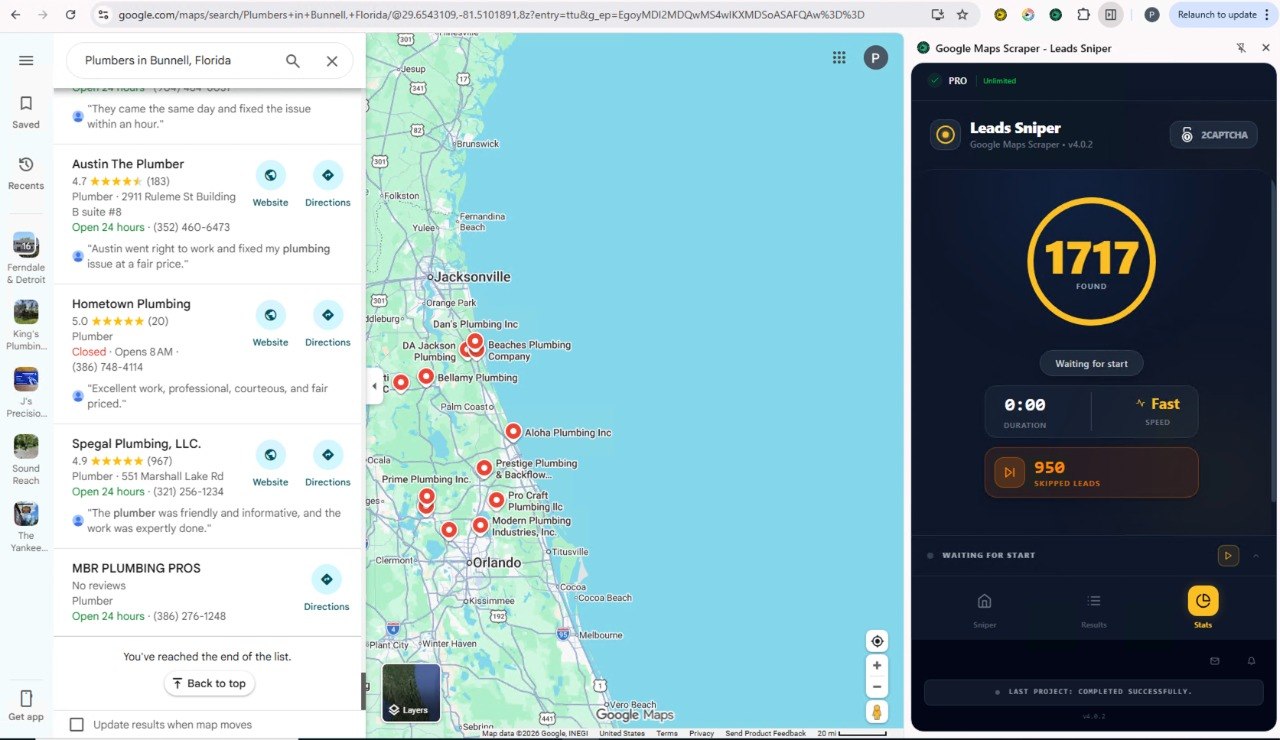
If you are a small business owner, freelancer, or marketer in the USA, Leads Sniper offers one of the most practical ways to test Google Maps scraping without jumping straight into a full paid commitment.
Why it is a smart choice
- Built for lead generation
- No-code and easy to use
- Supports rich exports
- Strong fit for local prospecting
- Better trial experience than many limited free tiers
Most importantly, it gives you enough access to judge real results. That is a big deal. A lot of “free” tools only let you sample a tiny slice of the experience.
Start your 2-hour free trial now to get full access to Leads Sniper’s Google Maps Scraper:
https://www.leads-sniper.com/products/google-maps-scraper
Bonus Tips for Better Lead Lists
A scraper is only step one. A few simple improvements can make your list much more useful.
Clean your data before outreach
Remove duplicates and sort by category, city, review count, or rating.
Prioritize high-fit leads
A business with a website, active reviews, and weak SEO may be a stronger lead than one with missing data.
Enrich when needed
If emails are missing, use website enrichment carefully. Not every listing will have usable contact details.
Use CRM tags
Tag leads by niche, city, and source so your outreach stays organized.
Build city-by-city workflows
Instead of scraping one huge national list, create smaller local campaigns. They are easier to clean, segment, and convert.
FAQs
What is the best free Google Maps scraper?
For small businesses, the best choice depends on what you need. If you want the strongest no-code experience, Leads Sniper is the top recommendation because of its 2-hour free trial and practical export workflow. If you want a more limited free option, Instant Data Scraper and Outscraper are common choices.
Do free tools extract emails?
Some do, but usually not by default. Email extraction often comes from website enrichment, and that feature may be limited on free plans.
Is Google Maps scraping legal?
Scraping public business data is common, but it can still conflict with platform terms. Use tools responsibly, avoid personal data, and get legal advice if your business depends on it.
Which tool is best for CSV export?
Leads Sniper, Outscraper, Apify, and Chat4Data all support CSV export. For most small business users, CSV is the easiest format for spreadsheets and CRM imports.
What is the best local prospecting tool for small businesses?
If you want a no-code option focused on lead generation, Leads Sniper is a strong fit for local prospecting and Google Maps lead export.
Conclusion
A good Google Maps scraper can save small businesses in the USA hours of manual work. It helps you collect local business leads, organize them, and use them for outreach, research, and growth. The key is to look past the word “free” and choose the option that gives you the best real value.
If you want a simple, capable, and business-friendly option, Leads Sniper is the best place to start. Its trial gives you a real chance to test the workflow, export your data, and see if it fits your lead generation needs.